Best USB-C Hubs for Digital Nomads: Expand Your Laptop's Connectivity
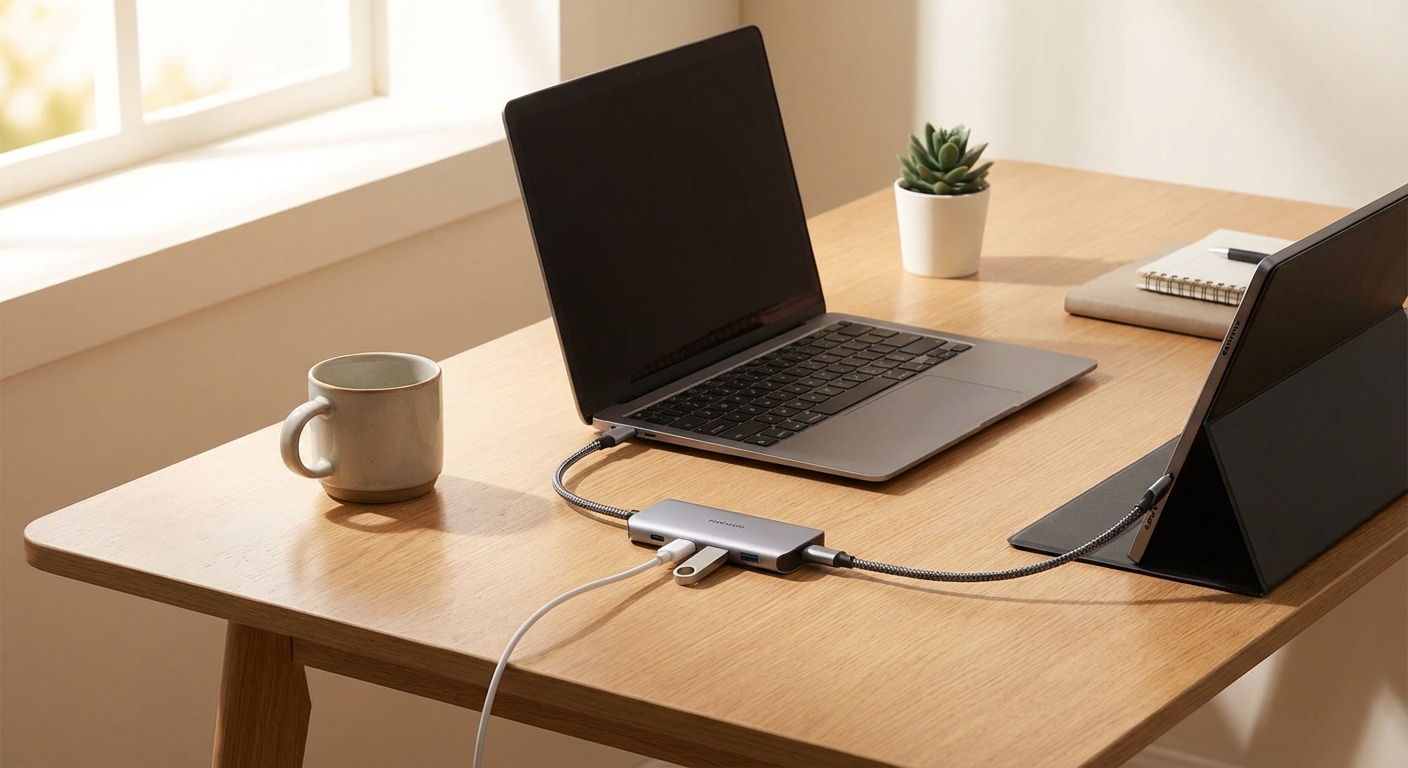

Modern laptops are thin, light, and increasingly port-free. That MacBook Air or XPS 13 you carry around the world might have just two USB-C ports—sometimes only one. Try connecting a monitor, webcam, keyboard, mouse, and external drive simultaneously. You can't.
A USB-C hub solves this by expanding your laptop's connectivity through a single port. One cable connects to your laptop; multiple ports connect to everything else. For digital nomads building mobile workstations, a good hub is essential infrastructure.
The challenge: finding a hub that offers the ports you need while remaining portable enough to travel. This guide covers the best options for nomadic workflows.
For a complete overview of building your mobile workstation, see our complete remote work setup guide.
Quick Navigation:
- Why Digital Nomads Need USB-C Hubs
- Understanding Port Types
- What to Look For
- The Best USB-C Hubs for Travel
- Comparison Table
- Common Setups
- FAQ
Why Digital Nomads Need USB-C Hubs
The shift to USB-C-only laptops created a genuine problem for productivity-focused users. Here's what a typical mobile workstation might require:
Basic setup (3 connections):
- Portable monitor (HDMI or USB-C)
- Charging (USB-C PD)
- Mouse (USB-A receiver or Bluetooth)
Standard setup (5 connections):
- Portable monitor
- Webcam (USB-A)
- External keyboard (Bluetooth or USB)
- Mouse
- Charging
Full workstation (7+ connections):
- Portable monitor (or two)
- Webcam
- External SSD or hard drive
- SD card reader
- Keyboard
- Mouse
- Charging
- Potentially wired ethernet
Without a hub, you're constantly unplugging and replugging devices. With a hub, you connect once and work. The productivity difference compounds daily.
Understanding Port Types
USB-C hubs include various port types. Here's what each does and whether you need it:
HDMI
What it does: Connects external monitors and displays.
What to look for:
- 4K@30Hz is common and adequate for most work
- 4K@60Hz provides smoother visuals, especially for video or fast scrolling
- Some hubs support dual HDMI for two monitors
Do you need it? Yes, if using a portable monitor. Some monitors connect via USB-C directly, but HDMI provides broader compatibility.
USB-A
What it does: Connects traditional USB devices—webcams, keyboards, mice with USB receivers, external drives.
What to look for:
- USB 3.0/3.1/3.2 speeds (5-10Gbps) for external drives
- USB 2.0 (480Mbps) is fine for keyboards and mice
Do you need it? Usually yes. Most webcams, many keyboard/mouse receivers, and older devices use USB-A.
USB-C Data
What it does: Connects USB-C devices for data transfer, separate from the charging port.
What to look for:
- 10Gbps speeds for fast transfers
- Distinguish between data ports and the charging passthrough port
Do you need it? Useful for USB-C external drives or newer peripherals.
USB-C Power Delivery (PD)
What it does: Passes power through the hub to charge your laptop while using other ports.
What to look for:
- Wattage matters: 60W works for ultrabooks, 100W for larger laptops
- "Passthrough" means it routes power from your charger, not generating power itself
Do you need it? Yes for any extended work session. Without PD, your laptop drains while using the hub.
SD and microSD Card Readers
What it does: Reads memory cards from cameras, drones, and other devices.
What to look for:
- UHS-I supports up to 104MB/s transfers
- UHS-II supports up to 312MB/s transfers (important for photographers)
Do you need it? Only if you work with cameras or devices using SD cards.
Ethernet
What it does: Provides wired internet connection.
What to look for:
- Gigabit (1Gbps) is standard
- Some older hubs only support 100Mbps
Do you need it? Rarely for nomads (WiFi is usually sufficient), but useful for reliable video calls in hotels with poor WiFi or for security-sensitive work.
What to Look For
Port Count and Configuration
More ports isn't always better. Consider what you'll actually connect:
| Setup | Ports Needed | Hub Type |
|---|---|---|
| Monitor + charging | 2-3 | Compact adapter |
| Monitor + webcam + charging | 4-5 | Standard hub |
| Dual monitor + full peripherals | 7-10 | Full dock |
Excess ports add weight and cost without benefit.
Power Delivery Wattage
Match your laptop's requirements:
- MacBook Air, XPS 13: 30-45W sufficient
- MacBook Pro 14", ThinkPad X1: 65-85W recommended
- MacBook Pro 16", gaming laptops: 100W+ recommended
Insufficient wattage means your laptop drains slowly even while "charging."
Build Quality and Heat Management
Cheap hubs fail under sustained use. Look for:
- Aluminum construction (dissipates heat better than plastic)
- Adequate ventilation
- Established brands with warranty support
Cable Type
Integrated cable: Built into the hub. Cleaner look, but if the cable fails, the hub is useless.
Detachable cable: Replaceable if damaged. More flexible positioning.
Most travel hubs use integrated cables for compactness.
Size and Weight
For daily carry, size matters:
- Under 2 oz: Ultra-compact, minimal ports
- 2-4 oz: Standard travel hubs
- 4+ oz: Feature-rich docks
The Best USB-C Hubs for Travel
Anker PowerExpand+ 7-in-1 - Best Overall
Anker earned their reputation by delivering reliable products at reasonable prices, and the PowerExpand+ exemplifies this approach. The 7-port configuration handles most nomad workflows: portable monitor via HDMI, webcam and mouse via USB-A, SD cards, and laptop charging via USB-C PD.
Port configuration:
- 1x HDMI (4K@30Hz)
- 2x USB-A 3.0
- 1x USB-C data
- 1x USB-C PD (85W passthrough)
- 1x SD card reader
- 1x microSD card reader
Key strengths:
- Reliable across varied conditions
- Compact aluminum body (4.1 x 1.3 x 0.5 in)
- 85W PD handles most laptops
- Proven track record over years
Limitations:
- 4K limited to 30Hz
- No ethernet port
- USB-A ports are 5Gbps (not 10Gbps)
Best for: Most digital nomads who need reliable port expansion without overspending.
CalDigit USB-C SOHO Dock - Best Premium Compact
CalDigit builds professional-grade accessories that justify premium pricing through superior quality and performance. The SOHO Dock brings this approach to a travel-friendly size.
Port configuration:
- 1x HDMI 2.0 (4K@60Hz)
- 1x USB-C (10Gbps)
- 2x USB-A 3.2 (10Gbps)
- 1x SD 4.0 UHS-II card reader
- 1x microSD 4.0 UHS-II card reader
- 1x USB-C PD (100W passthrough)
Key strengths:
- 4K@60Hz for smooth video playback
- Faster UHS-II card readers (essential for photographers)
- 100W PD handles any laptop
- Superior build quality
- Compact size (4.8 x 2.9 x 0.6 in)
Limitations:
- Premium price
- No ethernet port
Best for: Photographers, videographers, and professionals who need faster transfer speeds and reliable quality.
Satechi USB-C Multiport Adapter V2 - Best for MacBooks
Satechi specializes in accessories that complement Apple products aesthetically. The Multiport Adapter V2 looks like it could be an official Apple accessory—space gray aluminum that matches MacBooks perfectly.
Port configuration:
- 1x HDMI (4K@60Hz)
- 2x USB-A 3.0
- 1x USB-C PD (60W passthrough)
- 1x Gigabit Ethernet
- 1x SD card reader
- 1x microSD card reader
Key strengths:
- Matches MacBook aesthetics perfectly
- Includes ethernet (rare in compact hubs)
- Integrated cable management for travel
- 4K@60Hz output
Limitations:
- 60W PD (sufficient for Air, tight for Pro)
- Premium price for port count
Best for: Mac users who value aesthetics and want ethernet included.
HyperDrive Next 10-Port - Most Ports
When a standard hub isn't enough, the HyperDrive Next provides maximum connectivity in a still-portable form factor. Dual HDMI ports enable dual monitor setups with compatible laptops.
Port configuration:
- 2x HDMI (4K@60Hz, supports dual displays)
- 2x USB-A 3.0
- 1x USB-C (10Gbps)
- 1x USB-C PD (100W passthrough)
- 1x Gigabit Ethernet
- 1x SD 4.0 card reader
- 1x microSD 4.0 card reader
Key strengths:
- Dual 4K monitor support
- 100W PD handles any laptop
- Ethernet included
- Comprehensive port selection
Limitations:
- Larger and heavier than compact hubs
- Higher price
- Dual display requires laptop support (check compatibility)
Best for: Nomads running full desktop-replacement workstations with dual monitors.
Ugreen 6-in-1 Hub - Best Budget
Ugreen consistently delivers value, and this 6-in-1 hub proves you don't need to spend $50+ for functional port expansion.
Port configuration:
- 1x HDMI (4K@30Hz)
- 2x USB-A 3.0
- 1x USB-C PD (100W passthrough)
- 1x SD card reader
- 1x microSD card reader
Key strengths:
- Excellent value
- 100W PD passthrough
- Lightweight (1.8 oz)
- Aluminum construction
- Surprisingly good build quality
Limitations:
- 4K limited to 30Hz
- No USB-C data port
- No ethernet
Best for: Budget-conscious nomads who need basic port expansion.
Comparison Table
| Hub | Ports | HDMI | PD Wattage | Weight | Price |
|---|---|---|---|---|---|
| Anker PowerExpand+ | 7 | 4K@30Hz | 85W | 2.4 oz | $40 |
| CalDigit SOHO | 7 | 4K@60Hz | 100W | 3.2 oz | $80 |
| Satechi V2 | 8 | 4K@60Hz | 60W | 2.5 oz | $70 |
| HyperDrive Next | 10 | Dual 4K@60Hz | 100W | 4.1 oz | $130 |
| Ugreen 6-in-1 | 6 | 4K@30Hz | 100W | 1.8 oz | $20 |
Common Setups
Basic Portable Monitor Setup
What you need: HDMI output, USB-C PD passthrough
Recommendation: Ugreen 6-in-1 ($20)
Connects your portable monitor via HDMI while passing charging through to your laptop. Simple and affordable.
Standard Mobile Workstation
What you need: HDMI, USB-A ports for webcam and mouse receiver, USB-C PD
Recommendation: Anker PowerExpand+ 7-in-1 ($40)
Handles a portable monitor, webcam, wireless mouse receiver, and charging simultaneously. The sweet spot for most nomads.
Photography/Video Workflow
What you need: Fast SD card reader (UHS-II), multiple USB ports, high-res HDMI, USB-C data for external drives
Recommendation: CalDigit SOHO Dock ($80)
The UHS-II card readers dramatically speed up importing footage. 4K@60Hz output suits video editing. Premium quality matches professional gear.
Dual Monitor Powerstation
What you need: Dual HDMI outputs, multiple USB ports, ethernet option, 100W PD
Recommendation: HyperDrive Next 10-Port ($130)
The only compact hub supporting dual 4K displays. Plus ethernet for reliable video calls and comprehensive ports for all peripherals.
FAQ
Frequently Asked Questions
The Verdict
For most digital nomads, the Anker PowerExpand+ 7-in-1 provides the best balance of ports, reliability, and value. It handles the standard mobile workstation setup—monitor, webcam, peripherals, charging—without excess bulk or cost.
For photographers and videographers who transfer large files regularly, the CalDigit SOHO Dock justifies its premium with faster card readers and superior build quality.
For Mac users who value aesthetics, the Satechi USB-C Multiport Adapter V2 matches Apple's design language while including useful ethernet.
For dual-monitor power users, the HyperDrive Next 10-Port provides connectivity options no compact hub matches.
For budget-conscious nomads testing whether a hub improves their workflow, the Ugreen 6-in-1 delivers surprising quality at minimal cost.
Related guides:
- Complete Remote Work Setup Guide
- Best Portable Monitors for Digital Nomads
- Best Webcams for Digital Nomads
- Best Portable Laptop Stands
- Best Desk Accessories for Digital Nomads
Anker PowerExpand+ 7-in-1 - Best Overall

Anker PowerExpand+ 7-in-1
Best Overall
The PowerExpand+ hits the sweet spot for digital nomads: enough ports for a full workstation without excessive size or price.
The PowerExpand+ hits the sweet spot for digital nomads: enough ports for a full workstation without excessive size or price. The 7-port configuration includes 4K HDMI, USB-C Power Delivery (85W passthrough), two USB-A 3.0 ports, USB-C data, SD and microSD card readers. The compact aluminum body dissipates heat effectively and fits in any tech pouch. Anker's reputation for reliability is earned—this hub handles daily travel without failure.
What We Like
❝Perfect balance of ports and portability. Used it daily for 18 months across 12 countries. Still works flawlessly.❞
CalDigit SOHO Dock - Best Premium Compact

CalDigit USB-C SOHO Dock
CalDigit SOHO Dock Best Premium Compact
CalDigit builds professional-grade accessories, and the SOHO Dock brings that quality to a travel-friendly form.
CalDigit builds professional-grade accessories, and the SOHO Dock brings that quality to a travel-friendly form. The compact design (4.8 x 2.9 x 0.6 inches) packs 7 essential ports: HDMI 2.0 (4K@60Hz), USB-C (10Gbps), two USB-A 3.2, SD and microSD UHS-II card readers, and USB-C Power Delivery (up to 100W). The UHS-II card reader support is notably faster than budget options—important for photographers. Build quality exceeds typical travel hubs.
What We Like
❝Worth the premium for the build quality and faster card reader. Feels like it will last forever.❞
Satechi USB-C Multiport V2 - Best for MacBooks

Satechi USB-C Multiport Adapter V2
Satechi USB C Multiport V2 Best for MacBooks
Satechi designs accessories that match Apple's aesthetic, and the Multiport Adapter V2 looks like it could be an official Apple product.
Satechi designs accessories that match Apple's aesthetic, and the Multiport Adapter V2 looks like it could be an official Apple product. The space gray aluminum construction complements MacBooks perfectly. Ports include 4K HDMI (60Hz), USB-C PD (60W), two USB-A 3.0, Ethernet, and SD/microSD readers. The integrated cable stores neatly when traveling. For Mac users who care about aesthetics alongside functionality, this is the most attractive option available.
What We Like
❝Looks perfect next to my MacBook. The integrated cable makes packing easy. All ports work exactly as expected.❞
HyperDrive Next 10-Port - Most Ports

HyperDrive Next 10-Port
Most Ports
The HyperDrive Next packs 10 ports into a compact form for nomads who need maximum connectivity.
The HyperDrive Next packs 10 ports into a compact form for nomads who need maximum connectivity. Two HDMI ports support dual 4K displays (with compatible laptops). Two USB-A and one USB-C data port handle peripherals. USB-C PD provides 100W passthrough charging. Gigabit Ethernet ensures reliable wired connections. SD and microSD readers round out the configuration. If you run a full mobile workstation with dual monitors and multiple peripherals, this eliminates the need for multiple hubs.
What We Like
❝Two monitors, webcam, keyboard, mouse, wired ethernet—all from one hub. Worth every penny for my setup.❞
Ugreen 6-in-1 Hub - Best Budget

Ugreen USB-C Hub 6-in-1
Ugreen 6 in 1 Hub Best Budget
Ugreen delivers surprising quality at budget pricing.
Ugreen delivers surprising quality at budget pricing. The 6-in-1 hub includes 4K HDMI, two USB-A 3.0, USB-C PD (100W passthrough), and SD/microSD readers. The aluminum body handles heat well and feels more premium than the price suggests. At 1.8 oz, it's lighter than most competitors. For nomads who need basic port expansion without premium features, this covers the essentials at an excellent price.
What We Like
❝Can't believe the quality at this price. Does everything I need for my portable monitor and mouse setup.❞
Review of Our Favorite 3
Best Overall
The PowerExpand+ hits the sweet spot for digital nomads: enough ports for a full workstation without excessive size or price.
CalDigit SOHO Dock Best Premium Compact
CalDigit builds professional-grade accessories, and the SOHO Dock brings that quality to a travel-friendly form.
Satechi USB C Multiport V2 Best for MacBooks
Satechi designs accessories that match Apple's aesthetic, and the Multiport Adapter V2 looks like it could be an official Apple product.
About the Author