Best Desk Accessories for Digital Nomads: Mats, Organizers, and Must-Haves

The core mobile workstation—laptop stand, keyboard, mouse—solves the fundamental ergonomic problems. Desk accessories address everything else: cable chaos, uncomfortable surfaces, workspace definition, and the small annoyances that compound over long work sessions.
None of these accessories are essential. You can work perfectly well without desk mats or cable clips. But for nomads who spend hours daily at unpredictable workspaces, small improvements in comfort and organization add up to meaningful quality-of-life gains.
This guide covers the accessories worth considering for traveling workstations—items that provide real benefits without adding significant weight or bulk.
Desk Accessories Quick Guide
For a complete overview of building your mobile workstation, see our complete remote work setup guide.
Quick Navigation:
- Why Accessories Matter
- Desk Mats and Surfaces
- Cable Management
- Laptop Elevation Options
- Wrist Support
- Organization and Storage
- The Essential Accessories Kit
- FAQ
Why Accessories Matter
The argument against desk accessories is simple: they add weight and bulk for non-essential functions. Your laptop, stand, keyboard, and mouse are the core workstation. Everything else is extra.
The argument for accessories is equally simple: small daily frictions compound into real annoyance. Fishing for cables that fell behind the desk—again. Typing on sticky café surfaces. Constantly adjusting a laptop that shifts when you type. These aren't critical problems, but they interrupt focus dozens of times daily.
The Right Mindset
Think of accessories as selective optimization. Not everyone needs every accessory. But identifying your specific friction points—then addressing them with minimal-weight solutions—can meaningfully improve daily work.
The Weight Question
Most useful desk accessories weigh ounces, not pounds:
| Accessory | Typical Weight |
|---|---|
| Cable clips | 1-2 oz |
| Desk mat | 8-12 oz |
| Laptop feet | 1-2 oz |
| Wrist rest | 3-5 oz |
A curated set of accessories might add 12-16 oz total—about the weight of a water bottle. For the quality-of-life improvement, many nomads find this worthwhile.
Desk Mats and Surfaces
A desk mat transforms random surfaces into your workspace. Beyond aesthetics, mats provide practical benefits.
Why Use a Desk Mat
Surface improvement: Hotel desks, café tables, and Airbnb furniture vary wildly in surface quality. A mat provides consistent texture for your mouse and comfortable padding for your wrists.
Workspace definition: The mat's edges define your territory. Psychologically, setting up your mat signals "work time" and creates boundaries in shared spaces.
Protection: Sticky café tables, rough wood, spilled coffee—a mat protects both the surface and your gear.
Organization: Many mats include cable holders, document pockets, or pen slots.
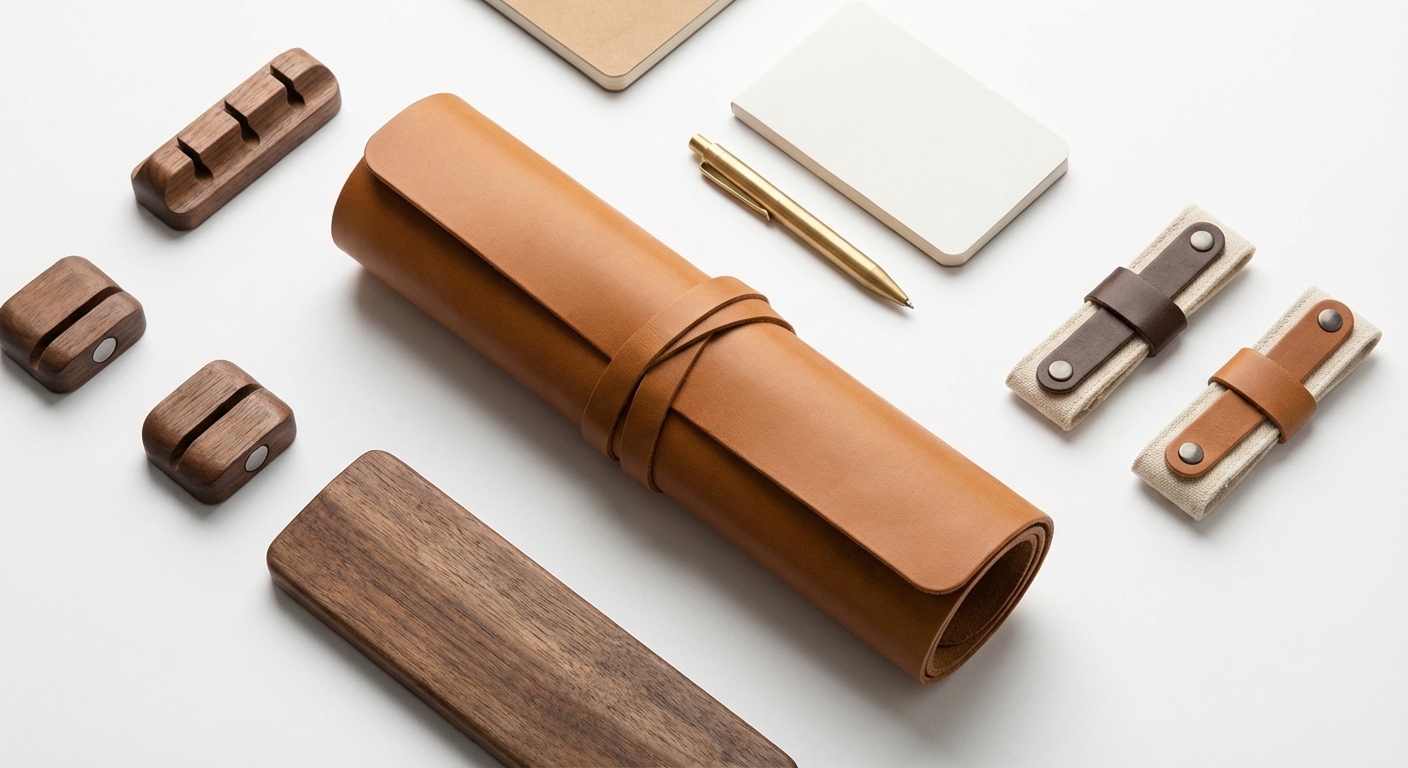
Orbitkey Desk Mat - The Nomad's Choice
The Orbitkey Desk Mat is designed specifically for mobile workers:
What makes it work:
- Rolls up compactly (secured by integrated strap)
- Magnetic cable holder keeps cables accessible
- Document slot hides papers
- Vegan leather surface is durable and wipeable
- Large enough (31.5 x 12.5") without being excessive
Considerations:
- Premium price ($60-70)
- At 10.6 oz, it's noticeable weight
- May be overkill for casual café sessions
Best for: Nomads who set up dedicated workspaces in Airbnbs or coworking spaces, those who value workspace ritual.
Budget Alternatives
If the Orbitkey's price or weight concerns you:
Large mouse pads: A basic extended mouse pad (12 x 10") provides a consistent surface at 2-3 oz and under $15. No organization features but solves the core problem.
Leather placemats: Available worldwide, leather placemats create a defined workspace cheaply. Not designed for the purpose but functional.
Cable Management
Cables sliding off desks is universally annoying. Small clips solve this completely.
The Cable Problem
Every cable you use—charging, USB hub, phone—wants to slide off the desk when disconnected. You reconnect it; it slides again. You fish behind furniture repeatedly. It's minor but constant.
The Solution: Magnetic Cable Clips
How they work: A weighted or adhesive base sits on or attaches to your desk. Magnetic or mechanical clips grip cables of various thicknesses. When you disconnect, the cable stays accessible at desk level.
Anker Magnetic Cable Holder
The Anker magnetic cable holder is the most popular solution:
Key features:
- Weighted base (no adhesive needed on most surfaces)
- Five cable slots of varying sizes
- Works with cables from thin charging to thick USB-C
- Under 2 oz for a set of three
Why it works:
- Set up once, use constantly
- Cables are always where you expect them
- No searching or fishing
- Works on any flat surface
Limitations:
- Very light cables may not stay clipped
- Doesn't work on vertical surfaces
Travel-Friendly Tips
For maximum portability:
- Carry just one or two clips (you rarely need five slots)
- Use the weighted version (no adhesive residue concerns)
- Store in your cable pouch or bag pocket
Laptop Elevation Options
Beyond dedicated laptop stands, several accessories provide elevation benefits.
Laptop Feet (mBar Pro+)
What they are: Adhesive risers that attach permanently to your laptop's bottom, providing fixed elevation.
Pros:
- Always-on elevation (no setup)
- Improves airflow for cooling
- No additional item to carry
- Matches laptop aesthetics (aluminum)
Cons:
- Permanent attachment (adhesive)
- Less height than full stands
- Changes laptop's feel in your bag
Best for: Users who want slight tilt without carrying a stand, those who always use laptops on desks.
Laptop Wedges
What they are: Small rubber or silicone wedges that sit under your laptop's rear edge, creating tilt.
Pros:
- No adhesive required
- Packs flat
- Very lightweight (under 1 oz)
- Easily adjustable positioning
Cons:
- Can slip on some surfaces
- Minimal elevation
- Not a substitute for proper stands
Best for: Adding slight tilt when a full stand isn't available or practical.
Vertical Laptop Stands
What they are: Stands that hold your laptop upright (closed) when using external monitors.
Pros:
- Frees significant desk space
- Works well with clamshell mode
- Protects laptop when not in use
Cons:
- Only useful with external monitors
- Too bulky for frequent travel
- Semi-permanent setup item
Best for: Extended stays with external monitor setups, Airbnb-based workstations.
Wrist Support
Wrist rests are controversial in ergonomic circles. Understanding proper use is essential.
The Wrist Rest Debate
Common misconception: Wrist rests should be used during typing to keep wrists cushioned.
Reality: Pressing wrists against any surface while typing increases carpal tunnel pressure. Wrist rests are for resting between typing, not during.
Proper Wrist Rest Use
When to use:
- During pauses (reading, thinking, watching)
- Between typing bursts
- As a reminder to keep wrists neutral
When NOT to use:
- While actively typing
- As a permanent wrist position
If You Want One
The Glorious Compact Wrist Rest balances portability with function:
- Memory foam padding contours to wrists
- Compact enough for travel (14 x 4")
- Stitched edges for durability
- Under 5 oz
Alternative: A rolled-up hand towel provides similar cushioning with zero added weight.
Organization and Storage
Keeping your mobile workstation organized makes setup and teardown faster.
Tech Pouches
A dedicated pouch for cables, adapters, and small accessories prevents bag chaos:
Essential contents:
- Charging cables
- USB-C hub
- Power adapter
- Cable clips
- Small accessories
Good tech pouches:
- Multiple compartments for organization
- See-through or labeled sections
- Appropriate size (not too big, not too small)
- Durable construction
The One-Bag Setup
Efficient organization means your entire workstation emerges from one bag section:
Laptop sleeve/pocket: Laptop only Tech pouch: All cables, hub, small accessories Main compartment: Stand, keyboard, mouse, mat (if using)
This separation means you can pull out exactly what you need without digging.
The Essential Accessories Kit
Not everyone needs every accessory. Here's a tiered approach:
Tier 1: High Impact, Low Weight (~3 oz total)
| Item | Weight | Impact |
|---|---|---|
| Cable clips (2) | 1 oz | High |
| Laptop wedge | 1 oz | Medium |
| Total | ~2 oz |
Cost: Under $20
These items solve common annoyances with essentially no weight penalty.
Tier 2: Full Travel Kit (~12 oz total)
| Item | Weight | Impact |
|---|---|---|
| Cable clips (2) | 1 oz | High |
| Desk mat (portable) | 10 oz | Medium-High |
| Laptop wedge | 1 oz | Medium |
| Total | ~12 oz |
Cost: Under $80
For nomads who value workspace definition and consistency across locations.
Tier 3: Extended Stay Setup (~24 oz total)
| Item | Weight | Impact |
|---|---|---|
| Cable clips (3) | 2 oz | High |
| Desk mat (full size) | 12 oz | Medium-High |
| Vertical laptop stand | 8 oz | Medium |
| Wrist rest | 5 oz | Low-Medium |
| Total | ~27 oz |
Cost: Under $120
For nomads who stay in locations for weeks, setting up proper workstations.
FAQ
Frequently Asked Questions
The Verdict
Desk accessories occupy a strange category: not essential, but meaningfully useful for certain workflows and preferences.
Start with cable clips. At under 2 oz and $10, they solve a universal annoyance with essentially no downside.
Consider a desk mat if you value workspace ritual or frequently work on unpleasant surfaces. The Orbitkey Desk Mat is the best portable option; extended mouse pads are budget alternatives.
Add other accessories selectively based on your specific friction points. Wrist rests help some people (used correctly); laptop feet suit those who don't want to carry stands; vertical stands serve clamshell-mode users.
The best accessories kit is the one customized to your actual needs—not a generic collection someone else recommends.
Related guides:
- Complete Remote Work Setup Guide
- Best Portable Laptop Stands
- Best USB-C Hubs for Digital Nomads
- Digital Nomad Ergonomics Guide
- Budget vs Premium Remote Work Setup
Orbitkey Desk Mat - Best Portable Desk Mat

Orbitkey Desk Mat
Best Portable Desk Mat
The Orbitkey Desk Mat brings order to chaotic hotel desks and café tables.
The Orbitkey Desk Mat brings order to chaotic hotel desks and café tables. The vegan leather surface is soft enough for comfortable typing yet firm enough to provide a stable mouse surface. The magnetic cable holder keeps charging cables accessible without falling off edges. Document slots hide papers and notes. When you're done, roll it up and secure with the integrated closure. At 31.5 x 12.5 inches, it defines your workspace clearly; at 10.6 oz, it travels without adding burden.
What We Like
❝Transforms any random desk into my workspace. The cable holder actually works. Rolling it up at the end of the day feels like closing up shop.❞
Anker Magnetic Cable Clips - Best Cable Management

Anker Magnetic Cable Holder
Anker Magnetic Cable Clips Best Cable Management
The Anker magnetic cable clips solve the universal problem of cables sliding off desks.
The Anker magnetic cable clips solve the universal problem of cables sliding off desks. The weighted magnetic base holds its position; the slots grip cables of various thicknesses. When you pull a cable to use it, the clip holds the connector end at desk level. When you're done, the cable naturally returns to its holder. At under 2 oz for a pack of three, the weight-to-utility ratio is exceptional. Adhesive or weighted base options suit different surfaces.
What We Like
❝Simple product that actually works. No more fishing for cables under the desk. Essential for sanity.❞
Rain Design mBar Pro+ - Best Laptop Elevating Feet

Rain Design mBar Pro+
Best Laptop Elevating Feet
The mBar Pro+ offers an alternative to laptop stands: adhesive feet that permanently attach to your laptop's bottom, providing a fixed 3-inch elevation.
The mBar Pro+ offers an alternative to laptop stands: adhesive feet that permanently attach to your laptop's bottom, providing a fixed 3-inch elevation. For nomads who always want slight elevation without carrying a separate stand, this provides always-on tilt. The anodized aluminum construction matches MacBook aesthetics. The elevation improves airflow and provides a more comfortable viewing angle. The trade-off: permanent attachment and less height than full stands.
What We Like
❝Perfect for those who want slight elevation always. No setup required—just open laptop and work at better angle.❞
Glorious Compact Wrist Rest - Best Travel Wrist Rest

Glorious Padded Wrist Rest
Glorious Compact Wrist Rest Best Travel Wrist Rest
The Glorious Compact wrist rest provides cushioned support in a relatively portable form.
The Glorious Compact wrist rest provides cushioned support in a relatively portable form. The memory foam padding conforms to your wrists; the stitched edges prevent fraying. At 14 x 4 inches and 5 oz, it's the smallest full-keyboard wrist rest that actually works. Note: wrist rests are for resting between typing, not during typing—using them while actively typing can increase pressure on carpal tunnel.
What We Like
❝Small enough to pack, comfortable enough to make a difference. Use it for rests between typing bursts.❞
UGREEN Vertical Laptop Stand - Best Space Saver

UGREEN Laptop Stand Holder
UGREEN Vertical Laptop Stand Best Space Saver
For nomads using external monitors as primary displays, the UGREEN vertical laptop stand holds your laptop upright in minimal desk space.
For nomads using external monitors as primary displays, the UGREEN vertical laptop stand holds your laptop upright in minimal desk space. The adjustable width accommodates laptops from 0.47-0.98 inches thick. The silicone padding protects your laptop's finish. When your laptop becomes a desktop, this frees up workspace that a flat laptop would consume. Not portable in the traditional sense, but useful for extended stays where desk space is limited.
What We Like
❝Perfect for my dual-monitor Airbnb setup. Laptop tucks away vertically, freeing desk space. Essential for clamshell mode.❞
Review of Our Favorite 3
Best Portable Desk Mat
The Orbitkey Desk Mat brings order to chaotic hotel desks and café tables.
Anker Magnetic Cable Clips Best Cable Management
The Anker magnetic cable clips solve the universal problem of cables sliding off desks.
Best Laptop Elevating Feet
The mBar Pro+ offers an alternative to laptop stands: adhesive feet that permanently attach to your laptop's bottom, providing a fixed 3-inch elevation.
About the Author