Best Portable Monitors for Digital Nomads in 2026
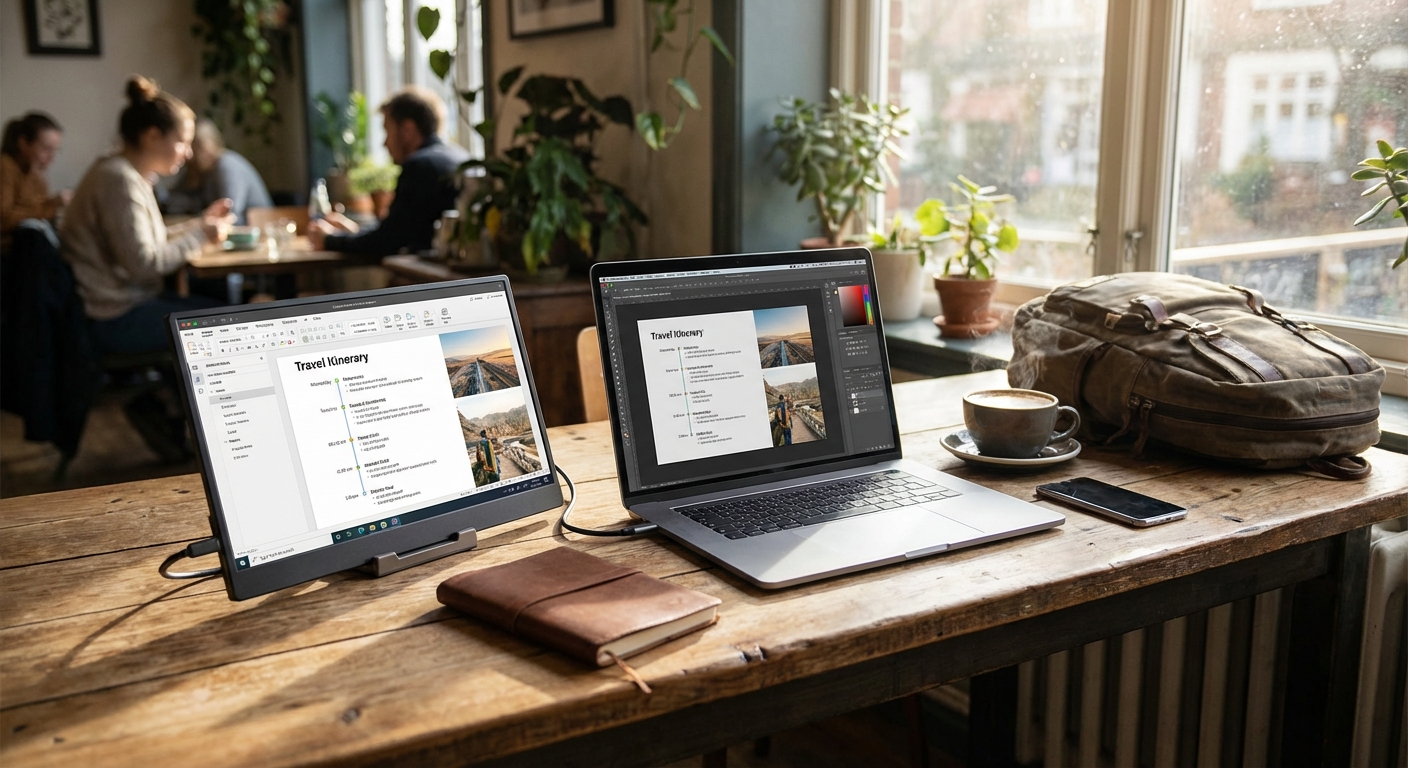

I resisted buying a portable monitor for two years. Extra weight. Extra cables. Another thing to break. Then I tried one for a week—and immediately understood why serious nomads swear by them.
Studies suggest dual monitors can boost productivity by 20-30% for certain workflows. For digital nomads working from café tables and cramped Airbnbs, that edge matters. The question isn't whether portable monitors work—it's whether the productivity gain justifies the weight.
After testing multiple options across months of nomadic work, here's what's actually worth carrying.
For a complete overview of building your mobile workstation, see our complete remote work setup guide.
Quick Navigation:
- Do You Need a Portable Monitor?
- What to Look For
- The Best Portable Monitors
- Comparison Table
- Setup Tips
- FAQ
Do You Need a Portable Monitor?
Not every nomad benefits from a second screen. Consider your work style:
You probably need a portable monitor if you:
- Regularly reference documents while writing or coding
- Edit video or photos professionally
- Run multiple applications simultaneously
- Find yourself constantly switching between windows
- Work with spreadsheets and databases
You probably don't need one if you:
- Primarily write or communicate (email, messaging)
- Already feel comfortable with your single laptop screen
- Prioritize ultra-minimal packing above all else
- Only work from well-equipped coworking spaces with monitors available
The math: A quality portable monitor adds 1.5-2 lbs and $150-350 to your kit. If that weight saves you an hour of window-switching per week, the investment pays off quickly. If you rarely use a second monitor when available, don't force it.
What to Look For
Screen Size
15.6 inches is the sweet spot—meaningful screen real estate without excessive bulk. Smaller 13-14 inch options save weight but feel cramped. Larger 17-inch options approach desktop monitors but become awkward to carry.
Resolution
- 1080p (1920x1080): Sufficient for most work, keeps prices reasonable
- 4K (3840x2160): Essential for photo/video editing, design work; premium prices
- 2K (2560x1440): Middle ground rarely seen in portable monitors
For text-heavy work (coding, writing, spreadsheets), 1080p is fine. For color-critical creative work, consider 4K.
Panel Type
- IPS: Best color accuracy and viewing angles; standard choice
- OLED: Superior contrast, true blacks, more vibrant colors; premium price
- VA: Better contrast than IPS but narrower viewing angles; rare in portables
IPS covers most needs. OLED justifies its premium for creative professionals.
Connectivity
- USB-C (with DisplayPort Alt Mode): Single cable for video and power—the ideal setup
- USB-C + HDMI: Maximum compatibility with older devices
- Power Delivery: Some monitors can power your laptop (60W+) while displaying
Modern laptops with USB-C make single-cable setups standard. Verify your laptop supports DisplayPort Alt Mode if you want this simplicity.
Weight and Portability
Target under 2 lbs for reasonable portability. Many quality options hit 1.5-1.8 lbs. Below 1.5 lbs usually means smaller screens or less durable builds.
Consider the case/cover—integrated smart covers that double as stands add protection without extra bulk.
Brightness
300+ nits is sufficient for indoor work. For outdoor or bright café environments, look for 400+ nits. Most quality portable monitors hit 300-350 nits.
The Best Portable Monitors
ASUS ZenScreen MB16ACV - Best Overall
The ZenScreen MB16ACV represents the portable monitor category at its best. The 15.6-inch 1080p IPS panel delivers accurate colors and wide viewing angles suitable for any work type. At 1.8 lbs with an integrated kickstand, it's lighter than most competitors while feeling solidly built.
Standout features:
- Single USB-C cable for power and video
- Integrated fold-out kickstand
- Flicker-free with blue light filter
- 15.6" IPS panel, 1920x1080
Considerations: Not 4K for those needing pixel-perfect detail. No touch input if you want that option.
Best for: Most digital nomads seeking a reliable second screen.
KYY K3 - Best Value
The KYY K3 delivers capable performance at an incredible price point. The 15.6-inch 1080p IPS display handles productivity work well with HDR support and 178° viewing angles. Two full-function USB-C ports plus mini-HDMI ensure compatibility with virtually any device.
Standout features:
- Under $100 price point with nearly 11,000 reviews
- Dual USB-C + mini-HDMI connectivity
- Premium smart cover and screen protector included
- 15.6" IPS panel, 1920x1080 with HDR
Considerations: Build quality isn't as refined as premium options. No power delivery capability.
Best for: Budget-conscious nomads testing whether a portable monitor fits their workflow.
ViewSonic VX1655-4K - Best 4K
For design, photography, or video work, the VX1655-4K delivers true 4K resolution on an OLED panel. The contrast and color accuracy approach desktop reference monitors. USB-C with 60W Power Delivery can actually charge your laptop while driving the display.
Standout features:
- True 4K (3840x2160) OLED panel
- 60W USB-C Power Delivery
- Outstanding color accuracy
- Built-in speakers
Considerations: Premium price reflects premium panel. Heavier at 2.2 lbs.
Best for: Creative professionals who need accurate color and high resolution.
Lenovo ThinkVision M14 - Lightest
When every ounce matters, the ThinkVision M14 leads the category. At 1.3 lbs and 4.6mm thin, it adds minimal bulk to any bag. The 14-inch screen is smaller but sufficient for reference documents, Slack, or email.
Standout features:
- Just 1.3 lbs, 4.6mm thin
- Dual USB-C ports (daisy-chain capable)
- Integrated tilt stand
- 14" IPS panel, 1920x1080
Considerations: 14-inch screen is noticeably smaller. Less screen real estate for complex work.
Best for: Ultra-minimalist packers who want a second screen with minimal weight penalty.
INNOCN 15A1F - Best OLED Value
OLED technology without the premium price tag. The INNOCN 15A1F delivers stunning 100,000:1 contrast and true blacks at a price well under premium alternatives. With 100% DCI-P3 coverage and 400 nits brightness, it's serious display quality at a reasonable price.
Standout features:
- OLED panel under $200
- True blacks, 100,000:1 contrast ratio
- 100% DCI-P3 color coverage
- 15.6" OLED panel, 1920x1080, ultra-slim 0.27" profile
Considerations: Still more expensive than basic IPS options. Not 4K resolution.
Best for: Creative workers who want OLED benefits without premium prices.
InnoView Touchscreen - Best Touch
The InnoView adds 10-point touch input at a much more accessible price than premium alternatives. The responsive touch panel works natively with Windows and macOS via a single USB-C cable. The included protective sleeve and built-in stand add practical convenience.
Standout features:
- 10-point multi-touch at under $150
- Upgraded 1200:1 contrast ratio with HDR
- Works with single USB-C cable
- Protective sleeve included
Considerations: Not as premium as high-end touch options. No pen input.
Best for: Those who want touch interaction without the premium price tag.
Comparison Table
| Monitor | Screen | Panel | Resolution | Weight | Price | Best For |
|---|---|---|---|---|---|---|
| ASUS ZenScreen MB16ACV | 15.6" | IPS | 1080p | 1.8 lbs | $250 | Most users |
| KYY K3 | 15.6" | IPS | 1080p | 1.7 lbs | $100 | Budget |
| ViewSonic VX1655-4K-OLED | 15.6" | OLED | 4K | 2.0 lbs | $350 | Creative pros |
| Lenovo ThinkVision M14 | 14" | IPS | 1080p | 1.3 lbs | $220 | Weight savings |
| INNOCN 15A1F | 15.6" | OLED | 1080p | 1.6 lbs | $200 | OLED value |
| InnoView Touchscreen | 15.6" | IPS | 1080p | 1.8 lbs | $150 | Touch input |
Setup Tips
Optimal Positioning
Position your portable monitor:
- Portrait orientation for coding, documents, Slack (most monitors support rotation)
- Same height as laptop to avoid neck strain
- Arm's length away for comfortable viewing
Cable Management
Single USB-C cable is ideal. If your laptop needs HDMI:
- Carry a USB-C to HDMI adapter, or
- Choose a monitor with built-in HDMI port
Keep a short backup cable in your tech pouch—cable failures happen.
Power Considerations
Most portable monitors draw 5-15W from your laptop. This reduces laptop battery life by roughly 1-2 hours. For extended sessions, plug in your laptop. Monitors with Power Delivery can actually extend your laptop's runtime by charging it.
Stand Alternatives
The included stands work, but a portable laptop stand can also elevate your monitor for better ergonomics. Some nomads use dedicated monitor stands; most find the integrated solutions sufficient.
FAQ
How much battery life do I lose when using a portable monitor?
Typically 1-2 hours, depending on monitor brightness and your laptop's battery size. Monitors draw 5-15W. For extended work sessions, plan to be near power.
Will my laptop work with USB-C monitors?
Most modern laptops support DisplayPort over USB-C (also called Alt Mode). Verify your specific laptop—some USB-C ports are power-only. MacBooks, Dell XPS, ThinkPads, and most premium laptops support it.
4K or 1080p?
For text work (writing, coding, spreadsheets), 1080p is sufficient. For photo/video editing, design, or if you want sharp text scaling, 4K is noticeable. The price premium and power draw of 4K make it a specialized choice.
Can I use a portable monitor for gaming?
Yes, but refresh rates max at 60Hz on most portable monitors. For competitive gaming, this isn't ideal. For casual gaming, it's fine. Also consider the power draw on a gaming laptop's battery.
Are OLED portable monitors worth it?
For creative work where true blacks and high contrast matter (video editing, photography), yes. For general productivity, IPS panels are sufficient and more affordable.
How do I protect the monitor while traveling?
Most include protective sleeves or smart covers. Use them—screens are fragile. Store the monitor in a padded laptop compartment, not loose in your bag.
The Verdict
For most digital nomads, the ASUS ZenScreen MB16ACV provides the best balance of image quality, portability, and price. Single-cable USB-C connectivity simplifies everything.
For budget entry, the KYY K3 proves whether a second screen works for your style—at under $100 with nearly 11,000 positive reviews, it's a low-risk way to test the dual-monitor workflow.
For creative professionals, the ViewSonic VX1655-4K-OLED delivers the color accuracy and resolution professional work demands with stunning OLED contrast.
For maximum portability, the Lenovo ThinkVision M14 adds the least weight while still providing meaningful second-screen benefits.
For OLED on a budget, the INNOCN 15A1F offers stunning visuals with 100% DCI-P3 coverage at a fraction of premium OLED prices.
Consider your work carefully before committing. A portable monitor is a productivity investment, not a necessity. But for the right workflow, it transforms any café table into a proper workstation.
Related guides:
- Complete Remote Work Setup Guide
- Best USB-C Hubs for Digital Nomads
- Best Portable Laptop Stands
- Best Travel Keyboards and Mice
- The Ultimate Digital Nomad Packing List
ASUS ZenScreen MB16ACV - Best Overall

ASUS ZenScreen MB16ACV
Best Overall
The ZenScreen MB16ACV delivers excellent image quality in a genuinely portable package.
The ZenScreen MB16ACV delivers excellent image quality in a genuinely portable package. The 15.6-inch 1080p IPS panel provides accurate colors and wide viewing angles—essential for any design or video work. At just 0.83kg (1.8 lbs) with an integrated kickstand, it's lighter than most competitors. USB-C hybrid-signal connectivity means one cable for power and video from modern laptops. The flicker-free panel and blue light filter reduce eye strain during long sessions.
What We Like
❝Stunning display quality for the size. The USB-C single cable setup is perfect. Easily fits in my backpack alongside my laptop.❞
KYY K3 - Best Budget Option

KYY K3 Portable Monitor
KYY K3 Best Budget Option
The KYY K3 proves you don't need to spend $300 for a capable portable monitor.
The KYY K3 proves you don't need to spend $300 for a capable portable monitor. The 15.6-inch 1080p IPS display delivers solid image quality with HDR support and 178° viewing angles. Two full-function USB-C ports plus mini-HDMI ensure compatibility with virtually any device. The included smart cover doubles as an adjustable stand. With nearly 11,000 reviews and a 4.5-star rating, it's a proven entry point for testing whether a portable monitor fits your workflow.
What We Like
❝Great monitor for the price. Colors are accurate enough for my spreadsheet and document work. No complaints after a year of daily use.❞
ViewSonic VX1655-4K-OLED - Best 4K Resolution

ViewSonic VX1655-4K-OLED
Best 4K Resolution
For designers, photographers, or anyone who needs pixel-perfect detail, the VX1655-4K-OLED delivers true 4K resolution in a portable form.
For designers, photographers, or anyone who needs pixel-perfect detail, the VX1655-4K-OLED delivers true 4K resolution in a portable form. The 15.6-inch OLED panel provides stunning contrast (peaks at 457 nits) and accurate colors with comprehensive color gamut coverage. Two USB-C ports for 2-way charging (60W Power Delivery) can actually charge your laptop while displaying. Measuring under an inch thick and under two pounds, it's premium quality in a genuinely portable package.
What We Like
❝The 4K OLED panel is incredible. Colors are accurate for my photo editing. Worth the premium for creative work.❞
Lenovo ThinkVision M14 - Best Ultra-Portable

Lenovo ThinkVision M14
Best Ultra Portable
The ThinkVision M14 prioritizes portability above all else.
The ThinkVision M14 prioritizes portability above all else. At just 1.3 lbs and 4.6mm thin, it adds minimal bulk to any bag. The 14-inch 1080p IPS panel sacrifices some screen real estate for weight savings. Two USB-C ports allow daisy-chaining or flexible positioning. The tilt stand integrates cleanly into the slim body. Perfect for nomads where every ounce matters.
What We Like
❝Incredibly thin and light. Barely notice it in my bag. The 14-inch size is plenty for coding and documents.❞
INNOCN 15A1F - Best OLED Budget

OLED technology at a non-premium price. The INNOCN 15A1F delivers stunning contrast (100,000:1) and true blacks that IPS panels can't match. The 15.6-inch 1080p panel with 100% DCI-P3 coverage handles video editing and photo work beautifully. At 400 nits brightness and ultra-slim 0.27-inch profile (1.6 lbs), it's portable without compromise. USB-C and mini-HDMI inputs cover all connectivity needs.
What We Like
❝OLED at this price is a steal. The blacks are incredible for movies and the colors pop for design work.❞
InnoView Touchscreen - Best Touch Monitor

InnoView Portable Touchscreen Monitor
InnoView Touchscreen Best Touch Monitor
The InnoView adds 10-point touch input to the portable monitor category at a reasonable price.
The InnoView adds 10-point touch input to the portable monitor category at a reasonable price. The 15.6-inch 1080p IPS display features an upgraded 1200:1 contrast ratio with HDR for vivid colors. Touch functionality works with Windows and macOS via a single USB-C cable. The protective sleeve and built-in stand add practical convenience. From a brand that's sold over 3 million units worldwide, it's proven and reliable.
What We Like
❝Touch input works perfectly with my MacBook. Great for presentations and direct screen interaction at half the price of premium options.❞
Review of Our Favorite 3
Best Overall
The ZenScreen MB16ACV delivers excellent image quality in a genuinely portable package.
KYY K3 Best Budget Option
The KYY K3 proves you don't need to spend $300 for a capable portable monitor.
Best 4K Resolution
For designers, photographers, or anyone who needs pixel-perfect detail, the VX1655-4K-OLED delivers true 4K resolution in a portable form.
About the Author