Best Webcams for Digital Nomads: Look Professional from Anywhere
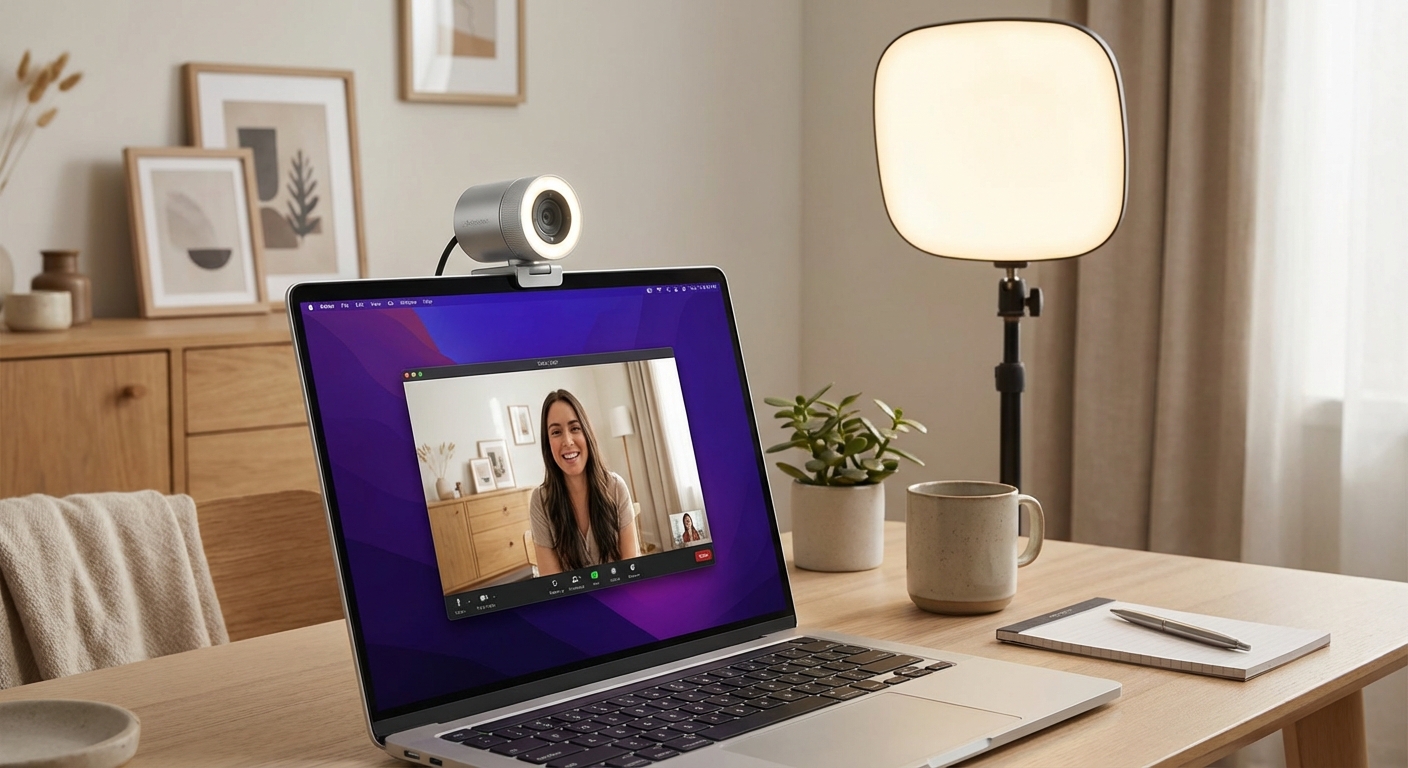

Here's a universal remote work truth: your laptop's built-in webcam makes you look worse than you actually look. The tiny sensor, awkward angle, and poor low-light performance combine to create a grainy, shadowy image that doesn't project professionalism.
When you're working remotely—especially with clients, employers, or important collaborators—your video presence matters. It shapes perceptions about your competence and trustworthiness. A dedicated webcam transforms grainy laptop footage into clear, well-lit video that lets people focus on what you're saying rather than squinting at your pixels.
For digital nomads, this creates a specific challenge: finding a webcam that delivers professional quality while remaining portable enough to travel.
For a complete overview of building your mobile workstation, see our complete remote work setup guide.
Quick Navigation:
- Why Your Laptop Webcam Isn't Enough
- What to Look For
- The Best Webcams for Digital Nomads
- Comparison Table
- Mounting and Positioning
- The Lighting Factor
- FAQ
Why Your Laptop Webcam Isnt Enough
Modern laptops have impressive displays, processors, and speakers. Their webcams remain mediocre—and there's a reason for this.
Physical limitations: Laptop webcams are tiny by necessity. That thin screen bezel can only accommodate a sensor measuring a few millimeters. Small sensors capture less light, producing noise and grain in anything less than perfect lighting.
Positioning problems: When you use a laptop stand (which you should for ergonomics), the built-in webcam points at your chin or the ceiling. Even without a stand, laptop cameras typically shoot from below eye level, creating an unflattering upward angle.
Compression compromises: Laptop webcams prioritize small file sizes over quality. The heavy compression produces artifacts, especially in low light or with movement.
The professional difference:
| Aspect | Laptop Webcam | Dedicated Webcam |
|---|---|---|
| Sensor size | 1-2mm | 5-15mm |
| Low-light performance | Poor | Good to excellent |
| Color accuracy | Acceptable | Professional-grade |
| Positioning flexibility | Fixed | Adjustable |
| Background blur | Software-only | Hardware + software |
For quick calls with friends or casual meetings, a laptop webcam works fine. For professional contexts—client calls, job interviews, important presentations—a dedicated webcam pays for itself in improved perception.
What to Look For
Resolution and Frame Rate
1080p at 30fps is the practical minimum for professional video calls. Most platforms compress video anyway, so 4K mainly matters for large monitors or specific use cases.
1080p60 provides smoother motion and can be worth the upgrade for presenters or content creators.
4K primarily benefits those who crop their video or want future-proofing.
Sensor Size and Low-Light Performance
Larger sensors capture more light, producing cleaner images in dim environments. This matters for nomads because you can't always control your lighting—that charming café corner might be darker than you'd like.
Look for specifications mentioning:
- Sensor size (larger is better: 1/3" < 1/2.8" < 1/2" < 1")
- Low-light correction or optimization
- HDR support for challenging lighting
Field of View
65-70° (narrow): Head and shoulders, minimal background visible. Best for professional calls in potentially distracting environments.
78-80° (medium): Includes some background while keeping focus on you. Good general-purpose option.
90°+ (wide): Shows significant background. Useful for showing your workspace or including others in frame.
Most webcams with adjustable field of view let you choose based on your situation.
Autofocus and Light Adjustment
Autofocus: Essential for nomads. Without it, you'll appear blurry when you move or your distance changes.
Auto light correction: Webcams with good light correction adjust exposure automatically, compensating for backlighting (windows behind you) or dim conditions.
Build Quality and Portability
Consider:
- Weight: Important for travel. Under 6 oz is ideal.
- Mount type: Universal clip mounts work on laptop screens, external monitors, and tripods.
- Cable management: Fixed vs. detachable cables.
- Privacy shutter: Blocks the lens when not in use.
Microphone Considerations
Most webcams include built-in microphones. They're typically adequate for calls but rarely match dedicated microphone quality. For important calls, consider:
- Using a dedicated microphone (headset or standalone)
- Choosing a webcam with better-than-average mic (like Anker's noise-reducing models)
- Accepting the built-in mic for convenience
The Best Webcams for Digital Nomads
Logitech C920s HD Pro - Best Overall Value
The C920s earned its reputation as the default recommendation for a reason. After years of refinement, it delivers reliable 1080p video quality that handles real-world lighting variations—café windows, hotel room lamps, coworking spaces—without constant adjustment.
Key strengths:
- Consistently good image quality across lighting conditions
- Proven reliability over years of use
- Universal clip mount works everywhere
- Privacy shutter blocks lens when not in use
- Built-in stereo microphones work in a pinch
Limitations:
- 30fps cap (no 60fps option)
- Not the sharpest 1080p available
- USB-A (adapter needed for USB-C only laptops)
Best for: Most digital nomads seeking reliable, travel-friendly video quality without overspending.
Logitech Brio 4K Pro - Best Premium Choice
The Brio represents what's possible when price isn't the primary concern. The 4K sensor delivers exceptionally detailed video, and the RightLight 4 technology handles challenging lighting better than any competitor at this price.
Key strengths:
- True 4K resolution with excellent detail
- HDR support for high-contrast environments
- Three field-of-view options (65°, 78°, 90°)
- RightLight 4 dynamically adjusts to lighting
- USB-C connectivity (with adapter included)
- Windows Hello facial recognition support
Limitations:
- Premium price
- Larger than budget options
- Some software features require Logitech G Hub
Best for: Client-facing professionals where video presence directly impacts business.
Insta360 Link - Best AI-Powered Tracking
The Insta360 Link is genuinely different from other webcams. The 3-axis gimbal physically moves the camera to follow you, maintaining framing without software crop. For presenters, teachers, or anyone who moves during calls, this changes what's possible.
Key strengths:
- Physical gimbal tracking keeps you in frame
- Gesture controls for hands-free operation
- Whiteboard mode automatically frames and enhances boards
- Overhead mode for document presentation
- Excellent 4K image quality
- Works as a standard webcam when tracking isn't needed
Limitations:
- Highest price in this guide
- Larger footprint than traditional webcams
- Requires charging (battery-powered gimbal)
- May be overkill for static video calls
Best for: Presenters, teachers, demonstrators—anyone whose work involves movement during video.
Elgato Facecam - Best for Content Creators
The Facecam focuses ruthlessly on video quality. No microphone (pair your own). Fixed focus (no hunting). Just exceptional 1080p60 footage with professional-grade color accuracy and a companion app that provides granular control.
Key strengths:
- Sony STARVIS sensor delivers exceptional quality
- 1080p60 for smooth motion
- Fixed focus eliminates hunting
- Detailed software controls for exposure, color, framing
- Clean, professional design
- Uncompressed video output available
Limitations:
- No microphone (deliberate design choice)
- Fixed focus requires consistent positioning
- Premium price for 1080p (vs. 4K alternatives)
- Control app needed for best results
Best for: Content creators and professionals who want maximum control over video quality.
Anker PowerConf C200 - Best Budget Option
Anker consistently delivers value, and the C200 proves external webcams don't require premium pricing. The 2K resolution exceeds most budget options, and the AI-powered noise reduction on the built-in mic handles café environments respectably.
Key strengths:
- 2K resolution at budget pricing
- AI noise reduction for background sounds
- Auto framing keeps you centered
- Lightest option in this guide (2.8 oz)
- Privacy cover included
Limitations:
- Less refined image processing than premium options
- Low-light performance is adequate, not exceptional
- USB-A only
Best for: Nomads testing whether external webcams improve their calls, or budget-conscious travelers.
Comparison Table
| Webcam | Resolution | Weight | Low Light | Price | Best For |
|---|---|---|---|---|---|
| Logitech C920s | 1080p/30 | 5.7 oz | Good | $60 | Most users |
| Logitech Brio 4K | 4K/30, 1080p/60 | 5.3 oz | Excellent | $170 | Professionals |
| Insta360 Link | 4K/30 | 3.5 oz | Excellent | $270 | Presenters |
| Elgato Facecam | 1080p/60 | 3.5 oz | Excellent | $170 | Creators |
| Anker C200 | 2K/30 | 2.8 oz | Adequate | $50 | Budget |
Mounting and Positioning
Where you place your webcam matters more than which webcam you choose.
Optimal Positioning
Eye level: The camera lens should be at or slightly above your eye level. This creates natural eye contact when you look at the screen.
Centered: Position the camera directly above or as close as possible to your video window. This minimizes the disconnect between where you look and where the camera is.
Distance: Most webcams work best at 18-30 inches. Closer than 18" and your face fills too much of the frame; farther than 30" and you become a small figure.
Mounting Options
Laptop screen clip: The default option. Works on most laptop lids but can make the laptop top-heavy.
External monitor mount: Better stability and positioning if you use an external display.
Small tripod: Maximum flexibility. Desktop tripods let you position the camera independently of any screen.
Monitor arm attachment: For semi-permanent setups, webcams can mount on monitor arms.
When Using a Laptop Stand
When your laptop is elevated, the built-in webcam points at the ceiling or your chin. Options:
- Dedicated webcam: Clip it to the laptop screen or position separately.
- Lower the stand for calls: Some nomads lower their laptop stand briefly during video calls.
- Use phone as webcam: Apps like Camo or Continuity Camera let your phone serve as webcam.
The Lighting Factor
No webcam can overcome terrible lighting. Even budget webcams look good in well-lit environments; premium webcams struggle in darkness.
Quick Lighting Fixes
Face a window: Natural daylight from in front of you creates flattering, even illumination.
Avoid backlight: Windows or bright lights behind you create silhouettes.
Add a key light: A small portable light (see our lighting guide) dramatically improves any webcam's output.
The Webcam + Light Combination
For most nomads, a mid-range webcam plus portable light produces better results than a premium webcam alone. Consider:
| Setup | Quality | Cost | Portability |
|---|---|---|---|
| Budget webcam alone | Adequate | $50 | Excellent |
| Mid-range webcam + light | Good | $100-150 | Good |
| Premium webcam alone | Good | $170-270 | Good |
| Premium webcam + light | Excellent | $220-320 | Moderate |
FAQ
Frequently Asked Questions
The Verdict
For most digital nomads, the Logitech C920s provides the best balance of quality, portability, and value. It's proven, reliable, and produces professional-looking video across varied environments.
For client-facing professionals where video presence directly impacts income, the Logitech Brio 4K Pro or Elgato Facecam justify their premium pricing with noticeably better image quality.
For presenters, teachers, or anyone who moves during calls, the Insta360 Link offers capabilities no other webcam matches.
For budget-conscious nomads testing whether external webcams improve their calls, the Anker PowerConf C200 provides impressive quality at minimal investment.
Whatever you choose, pair it with good lighting. The combination of even a budget webcam with proper lighting creates a more professional impression than a premium camera in darkness.
Related guides:
- Complete Remote Work Setup Guide
- Best Portable Lighting for Video Calls
- Best USB-C Hubs for Digital Nomads
- Best Portable Laptop Stands
- How to Work Productively from Cafes
Logitech C920s HD Pro - Best Overall Value

Logitech C920s HD Pro
Best Overall Value
The C920s has been the industry standard for remote workers for good reason.
The C920s has been the industry standard for remote workers for good reason. The 1080p/30fps video quality delivers sharp, natural-looking images in varied lighting conditions. Auto-focus and light correction handle café and hotel environments without manual adjustment. The built-in privacy shutter closes when you're done—a small but appreciated security feature. At just 5.7 oz and with a universal clip mount, it travels well and works anywhere. Reliable, proven, and priced reasonably.
What We Like
❝This webcam has survived three years of constant travel. Still works perfectly, still looks good. Can't ask for more.❞
Logitech Brio 4K Pro - Best Premium Choice

Logitech Brio 4K Pro
Best Premium Choice
The Brio 4K Pro represents the pinnacle of webcam quality for nomads.
The Brio 4K Pro represents the pinnacle of webcam quality for nomads. True 4K Ultra HD resolution (4096x2160) delivers exceptional clarity—especially valuable for presentations where detail matters. HDR support handles challenging lighting environments automatically. The RightLight 4 technology adjusts brightness dynamically, compensating for backlit windows and dim cafes. Three field-of-view options (65°, 78°, 90°) let you frame shots perfectly. USB-C connectivity and a premium build quality justify the investment for those who prioritize video presence.
What We Like
❝The quality difference is immediately noticeable. Clients comment on how professional my video looks. Worth every penny for client-facing work.❞
Insta360 Link - Best AI-Powered Tracking

Insta360 Link
Best AI Powered Tracking
The Insta360 Link brings gimbal-stabilized AI tracking to webcams.
The Insta360 Link brings gimbal-stabilized AI tracking to webcams. The 1/2-inch sensor captures 4K video with exceptional low-light performance. The 3-axis gimbal physically follows you around the frame—no software cropping required. Gesture controls let you zoom, switch to whiteboard mode, or frame documents without touching anything. Overhead mode transforms it into a document camera. For presenters, teachers, or anyone who moves during calls, the tracking is genuinely transformative. The premium price includes capabilities no other webcam offers.
What We Like
❝The tracking is incredible for teaching and presenting. Students love the whiteboard mode. Best webcam investment I've made.❞
Elgato Facecam - Best for Content Creators

Elgato Facecam
Best for Content Creators
The Elgato Facecam strips away unnecessary features to focus on what matters: exceptional video quality.
The Elgato Facecam strips away unnecessary features to focus on what matters: exceptional video quality. The Sony STARVIS sensor delivers 1080p60 footage with professional-grade color accuracy. No built-in microphone means no echo or interference—pair it with a dedicated mic. Fixed focus eliminates hunting during presentations. The camera control app provides precise adjustments for exposure, white balance, and framing. For creators and professionals who want full control over their image, this is purpose-built.
What We Like
❝Finally a webcam that produces truly professional-looking video. The manual controls are a game-changer for consistent quality.❞
Anker PowerConf C200 - Best Budget Option

Anker PowerConf C200
Best Budget Option
Anker's C200 proves you don't need to spend $150+ for a capable webcam.
Anker's C200 proves you don't need to spend $150+ for a capable webcam. The 2K resolution (2560x1440) exceeds most competitors at this price. AI-powered noise reduction for the built-in microphone handles café background noise respectably. Auto framing keeps you centered in the shot. At 2.8 oz, it's lighter than most alternatives. For nomads testing whether an external webcam improves their calls, this is a low-risk entry point with surprisingly capable performance.
What We Like
❝Incredible value for the price. The 2K resolution looks better than webcams costing twice as much. Perfect starter webcam.❞
Review of Our Favorite 3
Best Overall Value
The C920s has been the industry standard for remote workers for good reason.
Best Premium Choice
The Brio 4K Pro represents the pinnacle of webcam quality for nomads.
Best AI Powered Tracking
The Insta360 Link brings gimbal-stabilized AI tracking to webcams.
About the Author