The Digital Nomad's Complete Packing List for Staying Connected

This article contains affiliate links. We may earn a commission if you make a purchase through our links, at no extra cost to you.
The difference between a productive remote work trip and a frustrating one often comes down to having the right connectivity gear. After years of traveling while working, I've refined my packing list to cover every scenario—from stable coworking spaces to remote areas with minimal infrastructure.
This guide covers everything you need to stay reliably connected, organized by priority and use case.
This article is part of our complete digital nomad connectivity guide, covering everything from eSIMs to security practices.
The Essential Tier - Required for Everyone
These items should be in every digital nomad's bag, regardless of travel style or destination.
1. eSIM-Compatible Phone
Your phone is your primary connectivity device. Modern phones with eSIM support provide the most flexibility.
Why essential:
- eSIM works in most countries
- Phone tethering provides laptop connectivity
- Navigation, translation, communication hub
- Dual-SIM capability for home number + travel data
Recommended capability:
- eSIM support - essential for easy connectivity
- Dual-SIM - use home SIM alongside travel eSIM
- Recent model - better cellular modem performance
eSIM providers to install:
- Airalo - best overall coverage
- Nomad eSIM - guaranteed hotspot tethering
- One or two others as backup
2. Quality USB-C Cables
Bad cables cause more connectivity frustration than almost anything else.
Pack:
- 2-3 quality USB-C cables - various lengths
- At least one USB-C to USB-A cable for older devices
- One longer cable - 6ft/2m for awkward outlet placement
Why multiples:
- Cables fail at the worst times
- Different situations need different lengths
- Backup if one gets left behind
3. Multi-Port Charger
One charger for multiple devices saves space and outlet hunting.
Recommended specs:
- At least 65W total output for laptop charging
- Multiple USB-C ports
- At least one USB-A port for older devices
- Compact size for travel
Why essential:
- Charges laptop, phone, headphones, other devices
- Reduces cable clutter
- Saves outlet space in limited locations
4. Power Bank
Dead phone means lost connectivity. A quality power bank prevents this.
Recommended specs:
- 20,000mAh minimum for full laptop charge
- USB-C Power Delivery for fast charging
- Multiple ports for simultaneous charging
See our power bank guide for specific recommendations.
5. Universal Travel Adapter
Different countries, different outlets. One adapter covers everywhere. See our complete travel adapter guide for detailed recommendations.
Features to look for:
- Covers US, UK, EU, AU outlet types
- Built-in USB ports preferred
- Compact design
- Quality construction for heavy use
The Reliability Tier - Recommended for Serious Remote Work
These items provide redundancy and enhanced connectivity for those whose income depends on staying connected.
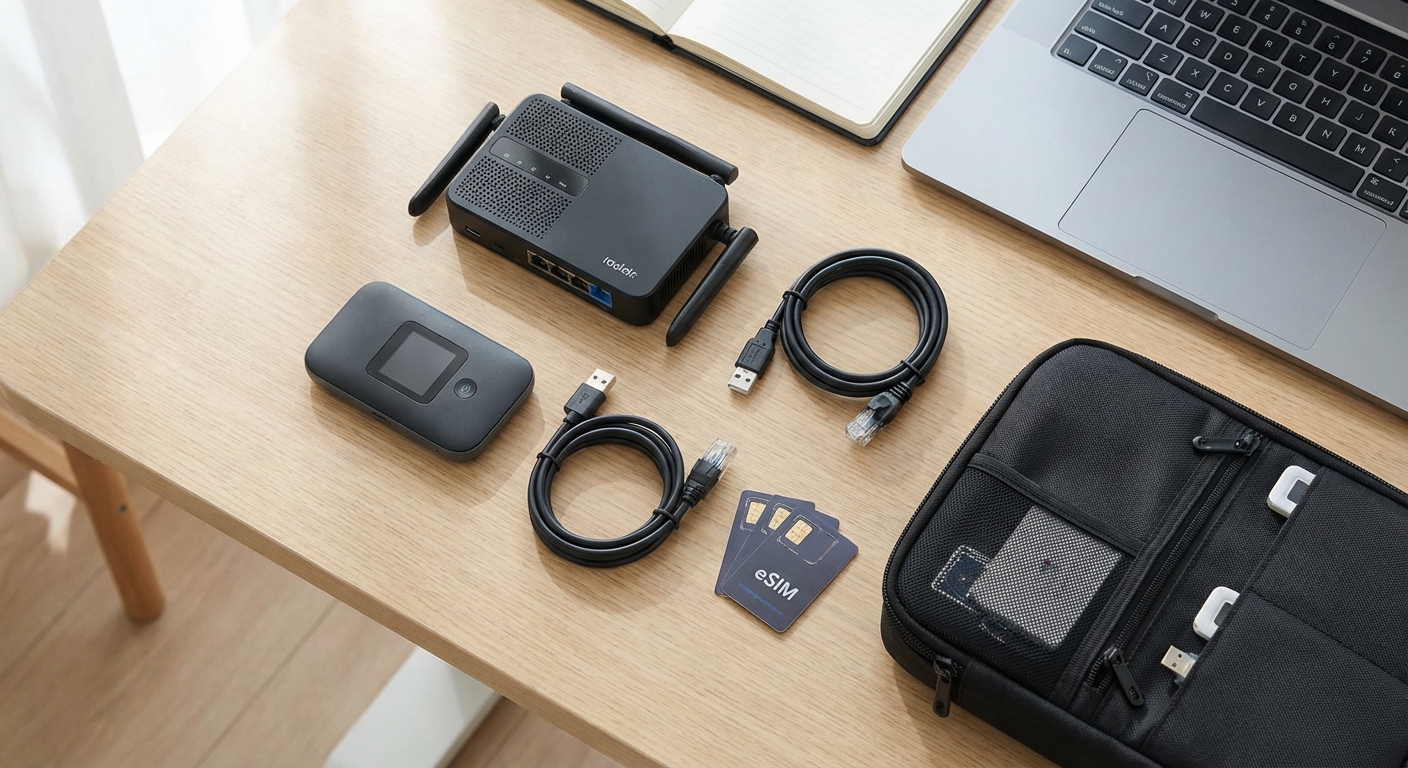
6. Travel Router
A travel router transforms unreliable hotel WiFi into a secure, stable connection.
Why recommended:
- Single login covers all devices
- VPN protection at router level
- More stable than direct hotel WiFi connection
- Works with captive portal authentication
Top recommendation: GL.iNet Beryl AX
- WiFi 6 support
- VPN client built-in
- Portable and lightweight
- Multiple ethernet ports
Check Beryl AX price on Amazon
For more options, see our travel router guide.
7. Short Ethernet Cable
Sometimes wired is the only reliable option.
Pack:
- One 3-6 foot ethernet cable - flat cables pack smaller
- Useful for: hotel rooms with ethernet ports, connecting to travel router
Why include:
- Video calls more stable on wired
- Some hotels offer ethernet when WiFi is congested
- Connects laptop to travel router
8. VPN Subscription
Essential for public WiFi security and accessing services while abroad.
Recommended providers:
- NordVPN - good all-around choice
- ExpressVPN - best for restricted countries
- Mullvad - privacy-focused option
Setup before traveling:
- Download apps on all devices
- Configure travel router with VPN
- Test connection works
- Enable kill switch features
The Professional Tier - For Mission-Critical Connectivity
These items provide maximum redundancy for those who cannot afford downtime.
9. Portable WiFi Hotspot
Independent cellular connectivity that doesn't drain your phone battery.
When essential:
- Critical video calls where phone tethering isn't enough
- Areas with unreliable WiFi
- Extended work sessions without outlets
- Multiple devices needing simultaneous connection
Premium option: Netgear Nighthawk M6 Pro
- 5G capability
- External antenna ports
- Ethernet output
- All-day battery
Budget option: GlocalMe G4 Pro
- Dual SIM slots for flexibility
- Cloud SIM for instant connectivity
- Lower cost than premium options
For full comparison, see our portable hotspot guide.
10. External Antennas
For seriously marginal signal situations.
When needed:
- Remote locations with weak cellular
- Rural areas outside normal coverage
- Buildings with poor signal penetration
What to look for:
- TS9 connectors - compatible with most hotspots
- Foldable/portable design
- 4G/5G support
11. Local SIM Card Tool
For swapping SIMs in countries where physical SIM is better than eSIM.
Pack:
- SIM ejector tool - multiple spares
- Small waterproof container for storing SIMs
The Organization System
Cable Management
Tangled cables waste time and cause frustration.
Recommended approach:
- Small pouches for cable organization
- Velcro ties for bundling cables
- Dedicated pockets in bag for quick access
Tech Pouch
A dedicated pouch keeps everything accessible.
Contents:
- Cables organized by type
- Adapters together
- SIM tools and spare SIMs
- USB drives with backup files
Bag Selection
Your bag determines how accessible your connectivity gear is.
Key features:
- Dedicated laptop compartment
- Accessible tech pockets
- TSA-friendly design
- Comfortable for all-day carry
See our backpack guide for recommendations.
The Complete Checklist
Essential - Pack These Every Trip
- eSIM-compatible phone with providers installed
- USB-C cables - at least 2, various lengths
- Multi-port USB-C charger - 65W minimum
- Power bank - 20,000mAh with PD
- Universal travel adapter
Recommended - Serious Remote Workers
- Travel router - GL.iNet Beryl AX
- Short ethernet cable - flat/portable
- VPN subscription - configured on all devices
- Cable organization pouch
Professional - Mission-Critical
- Portable hotspot - Nighthawk M6 or similar
- External antennas - TS9 compatible
- SIM ejector tools - multiple spares
- SIM card storage container
- Backup power bank
Pre-Trip Software Setup
- eSIM providers installed and tested
- VPN apps on all devices
- VPN configured on travel router
- Offline maps downloaded
- Important documents cached offline
- Two-factor authentication configured
Budget Considerations
Minimum Viable Setup - Under $100
If you're starting out or on a tight budget:
- eSIM subscription - $15-25
- Quality USB-C cable - $15
- Basic multi-port charger - $30
- Power bank 10,000mAh - $25
Total: ~$85-95
Recommended Setup - Under $300
For reliable professional work:
- Everything above - $95
- GL.iNet Beryl AX travel router - $89
- VPN annual subscription - $50-100
- Better power bank 20,000mAh - $50
Total: ~$285-335
Premium Setup - Under $1,000
For maximum reliability and capability:
- Everything above - $335
- Netgear Nighthawk M6 or M6 Pro - $499-699
Total: ~$835-1,035
Destination-Specific Additions
Restricted Countries - China, Russia, Iran
- Multiple VPN providers configured
- Travel router with VPN essential
- Offline content downloaded
- Alternative apps installed
See staying connected in restricted countries.
Remote/Adventure Travel
- Portable hotspot essential
- External antennas recommended
- Larger power bank
- Multiple backup options
Developed Countries - Europe, Japan, Korea
- Basic setup usually sufficient
- eSIM works well
- Travel router nice-to-have for security
Frequently Asked Questions
What's the bare minimum I need?
An eSIM-compatible phone with a provider like Airalo installed, plus a quality USB-C cable and charger. This handles most situations. Add a power bank for full-day independence.
Is a travel router really necessary?
Not for everyone. But if you work from hotels frequently, handle sensitive data, or need to connect multiple devices through a single WiFi login, a travel router is extremely valuable.
Should I buy gear locally or bring from home?
Bring cables, chargers, and electronics from home. Quality varies internationally, and returns are difficult. Local SIMs and some adapters can be purchased locally.
How do I avoid overweight luggage with all this tech?
Focus on multi-purpose items: one charger for multiple devices, phone that handles connectivity plus computing tasks, power bank that charges everything. Avoid single-purpose gadgets.
What's most often forgotten?
Based on experience: SIM ejector tools, short ethernet cables, and having VPN configured before arrival in restricted countries. Pre-trip preparation matters.
Conclusion
Reliable connectivity comes from preparation and redundancy. The core setup—eSIM-ready phone, quality cables, good charger, and power bank—handles most situations. Adding a travel router and portable hotspot provides the redundancy serious remote workers need.
Start with essentials and add based on your specific travel patterns and work requirements. Better to have redundancy you don't need than to lose income from preventable connectivity failures.
For detailed guidance on each connectivity approach, explore our complete digital nomad connectivity guide.
GL.iNet Beryl AX - Travel Router

WiFi 6 travel router with VPN client support. Creates secure private network from hotel WiFi, protects all devices.
What We Like
❝Essential for securing hotel WiFi. VPN runs on the router so all devices are protected automatically.❞
Netgear Nighthawk M6 Pro - 5G Hotspot

Premium 5G mobile hotspot with WiFi 6E. External antenna ports, ethernet out, all-day battery life.
What We Like
❝Worth every penny when connectivity is mission-critical. 5G speeds transform remote work capability.❞
Review of What We Liked
Travel Router
WiFi 6 travel router with VPN client support.
About the Author