Best Power Banks for Laptops & Phones: Digital Nomad Charging Guide
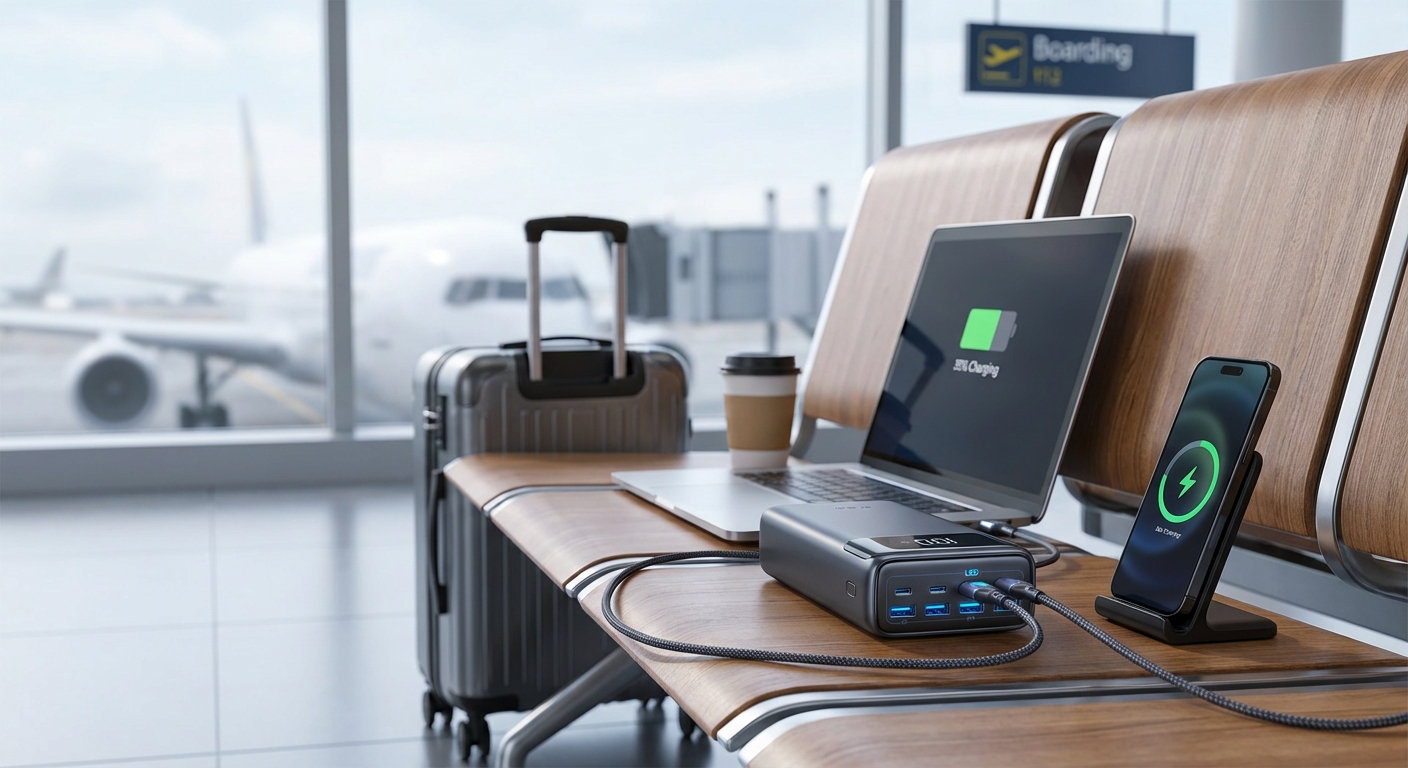

The Zoom notification popped up: "Your meeting starts in 10 minutes." My laptop showed 3% battery. The café in Lisbon had exactly one outlet—occupied by someone's phone charger who'd stepped away. I spent the next nine minutes in a cold sweat, watching my screen dim, praying my client would understand.
They didn't. That lost meeting cost me a $5,000 project.
Never again. That day I became obsessed with portable power, and I've tested every major power bank on the market since. If your income depends on your laptop, this guide will save you from learning this lesson the hard way.
This article is part of our Ultimate Digital Nomad Packing List and our guide to staying connected anywhere.
The Critical Number: Voltage
Here's the thing most people miss: your laptop needs a certain voltage to charge. Most phones charge at 5V, but laptops typically need 15-20V. A power bank that only outputs 5V won't charge your laptop—it'll just trickle power that barely keeps up with consumption.
Look for power banks with USB-C Power Delivery (PD) of at least 30W for ultrabooks, 45W for most laptops, and 60-100W for power-hungry machines like the MacBook Pro 16-inch.
Understanding Watt-Hours and TSA Limits
This tripped me up for years. Power bank capacity is listed in mAh (milliamp-hours), but what actually matters for laptops is Wh (watt-hours). Here's the conversion:
Wh = mAh × Voltage / 1000
Why does this matter? The TSA allows batteries up to 100Wh in carry-on baggage without airline approval. Between 101-160Wh, you need airline permission. Above 160Wh? You're checking it (risky) or leaving it behind.
A 26,800mAh power bank at 3.7V = 99.16Wh—right under the limit. Most good laptop power banks hover just below 100Wh for this reason.
How Many Charges Can You Expect?
Laptop batteries typically range from 50-100Wh. A 99Wh power bank won't give you two full laptop charges because:
- Energy is lost during conversion (roughly 10-15%)
- The power bank can't fully discharge
Realistically, expect about 1-1.5 laptop charges from a 99Wh power bank, or 4-6 smartphone charges.
What to Look For
USB-C Power Delivery
Non-negotiable for laptop charging. Check the wattage—higher is better.
Passthrough Charging
The ability to charge the power bank while it's charging your devices. Useful in places with limited outlets.
Build Quality
Cheap power banks with high capacity are a fire risk. Stick with reputable brands like Anker or Omars.
Weight
A 26,800mAh power bank typically weighs 500-700 grams. That adds up when you're carrying it every day. Consider whether you need max capacity or if something smaller suits your actual usage.
FAQ
Can I take power banks on a plane?
Yes, with restrictions. TSA allows power banks up to 100Wh in carry-on luggage without special permission. Between 100-160Wh, you need airline approval (usually granted if you ask at check-in). Above 160Wh is prohibited on passenger aircraft. Power banks must always go in carry-on—never checked luggage—due to lithium battery fire risk.
How long does it take to charge a power bank?
Most high-capacity (20,000-27,000mAh) power banks take 4-8 hours to fully charge, depending on their input wattage and your charger's output. Power banks with USB-C PD input charge faster—some 65W+ models can reach full charge in 2-3 hours. Plan to charge overnight.
Can I charge my laptop while the power bank is charging?
Yes, if the power bank supports passthrough charging. Most quality power banks from Anker, Omars, and similar brands support this feature. It's useful in cafés or airports where outlets are scarce—plug the power bank into the wall and your laptop into the power bank.
What size power bank do I need for my laptop?
Depends on your laptop's battery size. MacBook Air (52Wh battery) users can get a full charge from a 99Wh power bank. MacBook Pro 16-inch (100Wh battery) users will get about 80% of a charge. For most ultrabooks and 13-inch laptops, a 26,800mAh (99Wh) power bank provides roughly 1-1.5 full charges.
Do power banks lose charge when not in use?
Yes, but slowly. Most quality power banks lose 1-5% per month when stored. Cheaper units may drain faster. For long-term storage, keep power banks at about 50% charge in a cool, dry place. Fully draining or keeping them at 100% for extended periods can reduce battery lifespan.
What's the difference between USB-C PD and Quick Charge (QC)?
USB-C Power Delivery (PD) is a universal standard that can deliver up to 240W and works with laptops, phones, and tablets. Quick Charge is Qualcomm's proprietary technology primarily for Android phones, maxing out around 100W. For laptop charging, you need USB-C PD—Quick Charge alone won't work. Many modern power banks support both standards.
Why won't my power bank charge my laptop?
Three common reasons: (1) The power bank's output wattage is too low—laptops typically need 30W minimum, with many requiring 45-65W. (2) You're using a USB-A port instead of USB-C PD port. (3) Your cable doesn't support high-wattage charging—use a USB-C cable rated for 60W or higher.
The Verdict
For most digital nomads, the Anker Laptop Power Bank 25,000mAh hits the sweet spot. It delivers 100W charging through three USB-C ports, includes built-in cables, and stays within TSA limits.
If you need maximum flexibility at a great price, the INIU 25000mAh 100W offers exceptional value with triple-port charging and fast recharge times.
For the slimmest profile without sacrificing power, the Baseus Blade 100W is just 0.7 inches thin yet delivers serious laptop charging capability.
For those who need a true AC outlet on the go, the 27000mAh AC Outlet Power Bank provides wall-plug capability that's invaluable in outlet-scarce situations.
Whatever you choose, don't cheap out on power. Your productivity—and sanity—depends on it.
Complete Your Connectivity Setup
Power is just one piece of staying productive on the road:
- Best eSIMs for Digital Nomads - Stay connected anywhere without expensive roaming
- Portable WiFi Hotspots - Your backup internet when café WiFi fails
- Travel Routers - Secure and extend any WiFi connection
- Universal Travel Adapters - Charge your power bank anywhere in the world
- The Complete Packing List - Everything you need to work from anywhere
Anker Laptop Power Bank 25,000mAh - Best for MacBook and Laptops

Anker Laptop Power Bank 25,000mAh
Best for MacBook and Laptops
This is the power bank I recommend for serious laptop users.
This is the power bank I recommend for serious laptop users. With triple 100W USB-C ports and built-in retractable cables, it can charge a MacBook Pro to 50% in about an hour—or refill your iPhone multiple times. The 25,000mAh capacity stays under TSA limits, and the retractable cables mean no more cable hunting. It recharges in about 2 hours with a 100W charger. When you need reliable laptop charging on long travel days, this is what you want in your bag.
What We Like
❝This thing saved my productivity on a 20-hour travel day. Kept my MacBook and phone running the entire time. Worth every penny for the peace of mind.❞
INIU 25000mAh 100W - Best Multi-Device Charging

INIU 25000mAh 100W Laptop Power Bank
INIU 25000mAh 100W Best Multi Device Charging
When you need to charge everything—laptop, phone, tablet, earbuds—the INIU can handle it simultaneously with its triple-port setup.
When you need to charge everything—laptop, phone, tablet, earbuds—the INIU can handle it simultaneously with its triple-port setup. It delivers 100W through USB-C for MacBook Pro charging (50% in 30 minutes), plus a secondary USB-C port and USB-A for accessories. The compact size belies its 25,000mAh capacity, and it recharges fully in about 2 hours with a 65W adapter. At around $50 on sale, it's exceptional value for multi-device nomads.
What We Like
❝Triple ports mean I can charge my MacBook, phone, and earbuds all at once. The 100W output is no joke for laptop charging.❞
Baseus Blade 100W 20000mAh - Best Slim Design

Baseus Blade 100W 20000mAh
Best Slim Design
The Baseus Blade proves you don't need bulk for power.
The Baseus Blade proves you don't need bulk for power. At just 0.7 inches thin, this 20,000mAh power bank delivers 100W USB-C PD charging—enough to get your MacBook Pro to 50% in 30 minutes. The four-port design (2x USB-C, 2x USB-A) handles your entire tech kit. TSA-approved and sleek enough to slide into a laptop sleeve, it's the power bank for nomads who hate bulk but need serious charging capability.
What We Like
❝Can't believe how thin this is for the power it delivers. Slides into my bag like a notebook and charges my MacBook faster than expected.❞
27000mAh AC Outlet Power Bank - Best with AC Outlet

27000mAh Portable Power Bank with AC Outlet
27000mAh AC Outlet Power Bank Best with AC Outlet
When you need a true wall outlet on the go, this 27,000mAh power bank delivers.
When you need a true wall outlet on the go, this 27,000mAh power bank delivers. The built-in AC outlet powers devices that require a wall plug—a rare and invaluable feature. Plus you get 65W USB-C PD for laptop charging and standard USB ports for phones. At 98Wh, it's right under TSA limits. Perfect for coworking spaces without enough outlets, remote work sessions, or backup power during outages.
What We Like
❝The AC outlet is a lifesaver. I've charged devices that only have wall plugs while working from parks and beaches.❞
Krisdonia 64000mAh 100W - Maximum Capacity

Krisdonia 64000mAh 100W Power Bank
Krisdonia 64000mAh 100W Maximum Capacity
When you need maximum portable power, the Krisdonia delivers a massive 64,000mAh (236.
When you need maximum portable power, the Krisdonia delivers a massive 64,000mAh (236.8Wh). Yes, that's over the TSA limit—you'll need airline approval or check it. But for van life, remote work expeditions, or anywhere you're off-grid for days, nothing else comes close. The 100W USB-C PD port handles laptops, while DC outputs (12/16/20/24V) power an incredible range of devices. It's overkill for most, but essential for extreme remote workers.
What We Like
❝Used this for a week-long camping trip while working remotely. Charged my laptop 4+ times and still had juice left. Worth the extra weight for extended off-grid work.❞
Review of Our Favorite 3
Best for MacBook and Laptops
This is the power bank I recommend for serious laptop users.
INIU 25000mAh 100W Best Multi Device Charging
When you need to charge everything—laptop, phone, tablet, earbuds—the INIU can handle it simultaneously with its triple-port setup.
Best Slim Design
The Baseus Blade proves you don't need bulk for power.
About the Author