Best Laptops for Digital Nomads: Complete Buying Guide
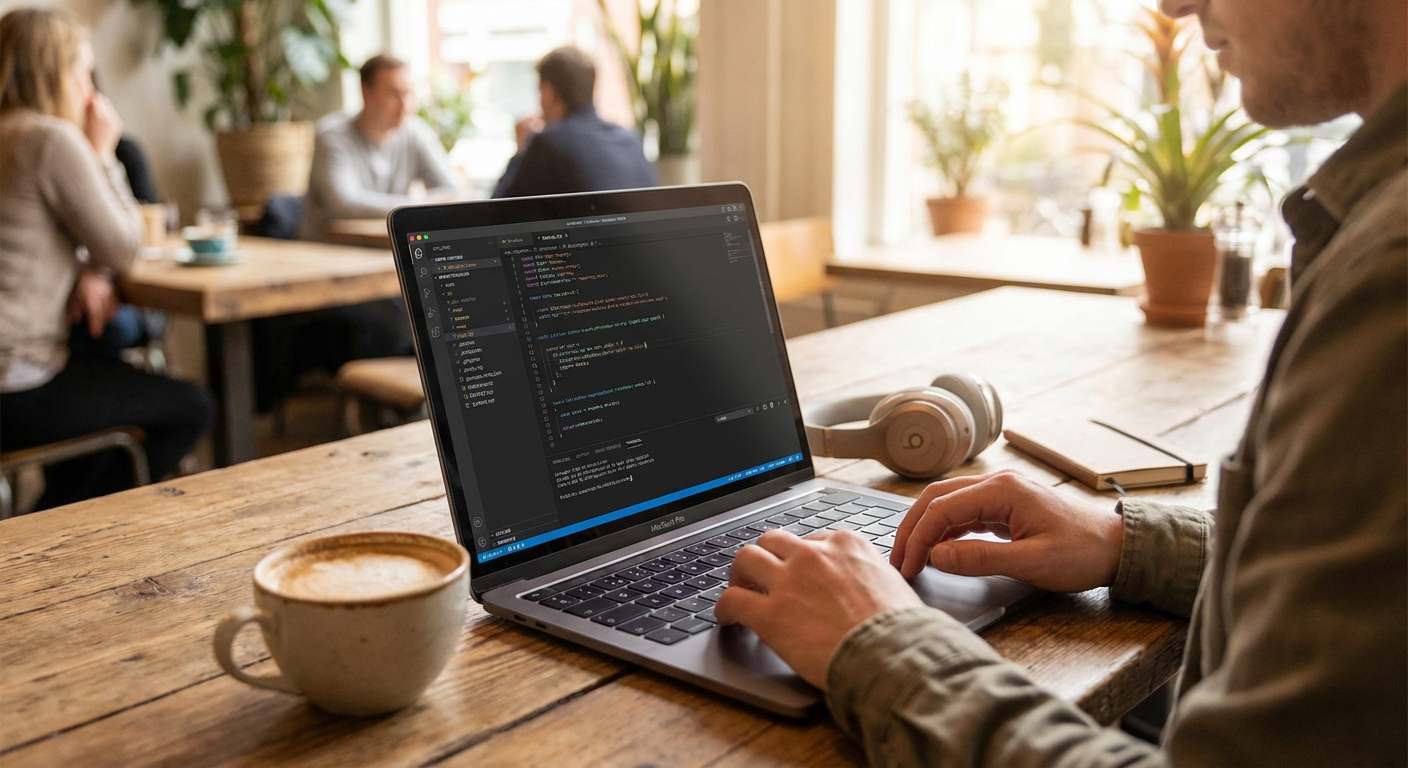

The Zoom call froze at exactly the wrong moment—right as my client was about to sign. My laptop battery had died, and the café's only outlet was occupied by someone's phone charger. That $15,000 contract? Gone. All because I'd chosen the wrong laptop.
Your laptop isn't just a computer when you're a digital nomad—it's your entire livelihood packed into three pounds of aluminum and silicon. The wrong choice costs you more than money; it costs you opportunities, clients, and peace of mind.
Whether you're writing code from a beach in Bali, editing videos in a Lisbon coworking space, or just trying to survive a 14-hour flight with your sanity intact, your laptop choice matters more than almost any other gear decision you'll make.
This article is part of our Ultimate Digital Nomad Packing List, which covers everything you need to work from anywhere.
What Actually Matters for Nomad Laptops
After years of testing laptops across dozens of countries (and several embarrassing incidents of laptops dying at crucial moments), here's what I've learned to prioritize:
Battery Life Is King
This isn't negotiable. When you're working from cafes with limited outlets, on long train rides, or in airports with occupied charging spots, your battery life determines your productivity. I won't recommend anything with less than 8 hours of real-world use. The best options give you 12+.
Weight and Portability
You're carrying this thing everywhere. Every gram adds up when you're also hauling your life in a single backpack. I aim for under 3 pounds (1.4kg) for my daily driver.
Processing Power (But Be Realistic)
Unless you're doing serious video editing or 3D rendering, you probably don't need the most powerful chip on the market. A solid mid-range processor handles 90% of nomad work just fine—writing, coding, spreadsheets, video calls, and yes, Netflix.
Display Quality
You're going to be staring at this screen for 8+ hours a day. Invest in something that won't strain your eyes. Good resolution, accurate colors, and decent brightness (especially for outdoor work) are worth the premium.
MacBook vs Windows: The Eternal Debate
Let's settle this: both are fine.
If you're a developer, especially for iOS or Mac apps, the MacBook ecosystem is hard to beat. The Unix-based OS, built-in terminal, and Apple's development tools just work.
If you need specific Windows software, prefer more hardware choices, or want gaming capability on the side, Windows laptops have come a long way. Plus, Windows Subsystem for Linux (WSL) means you can run Linux applications right alongside your Windows apps.
I personally keep both—a MacBook as my primary machine and a lightweight Windows laptop as a backup. Overkill? Maybe. But when your income depends on having a working computer, redundancy isn't paranoia.
The Verdict
For most digital nomads, the MacBook Pro 14-inch is worth the investment if you can swing it. The battery life, performance, and build quality justify the premium.
On a tighter budget? The MacBook Air M1 is honestly remarkable for the price—fast, silent, and incredibly portable.
Windows users should look at the Dell XPS 13 for premium quality or the ThinkPad E15 for reliable budget performance.
Your laptop is your office. Invest accordingly.
FAQ
Frequently Asked Questions
Keep Building Your Mobile Office
Once you've chosen your laptop, you'll need to protect it and maximize your productivity:
- Portable Laptop Stands - Save your neck and back with a lightweight stand
- Portable Monitors - Double your screen real estate on the road
- Power Banks for Laptops - Never run out of battery again
- Tech Pouches & Cable Organizers - Keep your cables and accessories organized
- Travel Keyboards & Mice - Complete your ergonomic setup
MacBook Pro 14-inch M3 Pro - Best Overall for Digital Nomads

MacBook Pro 14-inch M3 Pro
Best Overall for Digital Nomads
After spending three months traveling through Southeast Asia with the 14-inch MacBook Pro, I can confidently say it's the gold standard for nomad laptops.
After spending three months traveling through Southeast Asia with the 14-inch MacBook Pro, I can confidently say it's the gold standard for nomad laptops. The M3 Pro chip with 11-core CPU and 14-core GPU handles everything—video editing, running multiple Chrome tabs (yes, dozens), and complex Figma sessions. The 14.2-inch Liquid Retina XDR display is stunning for creative work. But the real game-changer is the battery: 17+ hours of video playback means you can work from a beach cafe all day without hunting for outlets.
What We Like
❝The 14-inch display is the perfect size for portability without sacrificing screen real estate. The M3 Pro is a beast, and the battery life is genuinely life-changing for remote work.❞
MacBook Air M3 - Best Value Mac Option

Not everyone needs the Pro power (or the Pro price tag). The M3 MacBook Air is genuinely remarkable for its weight class. It's fanless—completely silent—which is a blessing when you're sharing a quiet coworking space. The 8-core CPU and 10-core GPU handle most creative tasks without breaking a sweat. With 18 hours of video playback and weighing just 2.7 pounds, it's the perfect blend of power and portability. For writers, developers, and general productivity warriors, this is the sweet spot.
What We Like
❝I switched from an older MacBook Pro and couldn't believe how much faster the M3 Air is. Plus it never gets hot or loud. Perfect for cafe work.❞
Dell XPS 13 9310 - Best Windows Laptop for Nomads

Dell XPS 13 9310
Best Windows Laptop for Nomads
If you're in the Windows camp (no judgment—I bounce between both), the XPS 13 is as good as it gets for travel.
If you're in the Windows camp (no judgment—I bounce between both), the XPS 13 is as good as it gets for travel. The 13.4-inch display is gorgeous, the build quality rivals Apple, and it's impressively light. The touchscreen is actually useful for scrolling through long documents or giving quick presentations. Intel's 11th gen chips are no slouches either.
What We Like
❝Finally a Windows laptop that doesn't feel like a compromise. The build quality is excellent, the display is stunning, and it's thin enough to slip into any bag.❞
Lenovo ThinkPad E15 - Best Budget Option

Look, I get it. Not everyone has $1500+ to drop on a laptop. The ThinkPad E15 proves you don't need to. The AMD Ryzen 5 processor handles daily tasks smoothly, the keyboard is legendarily comfortable for long typing sessions, and it comes with Windows 10 Pro out of the box. The battery won't match Apple's offerings, but 8+ hours is respectable. It's the practical choice for budget-conscious nomads.
What We Like
❝Best keyboard I've ever used on a laptop. The ThinkPad reputation is well-deserved. It's not flashy, but it gets the job done reliably.❞
Review of Our Favorite 3
Best Overall for Digital Nomads
After spending three months traveling through Southeast Asia with the 14-inch MacBook Pro, I can confidently say it's the gold standard for nomad laptops.
Best Value Mac Option
Not everyone needs the Pro power (or the Pro price tag).
Best Windows Laptop for Nomads
If you're in the Windows camp (no judgment—I bounce between both), the XPS 13 is as good as it gets for travel.
About the Author