The short answer
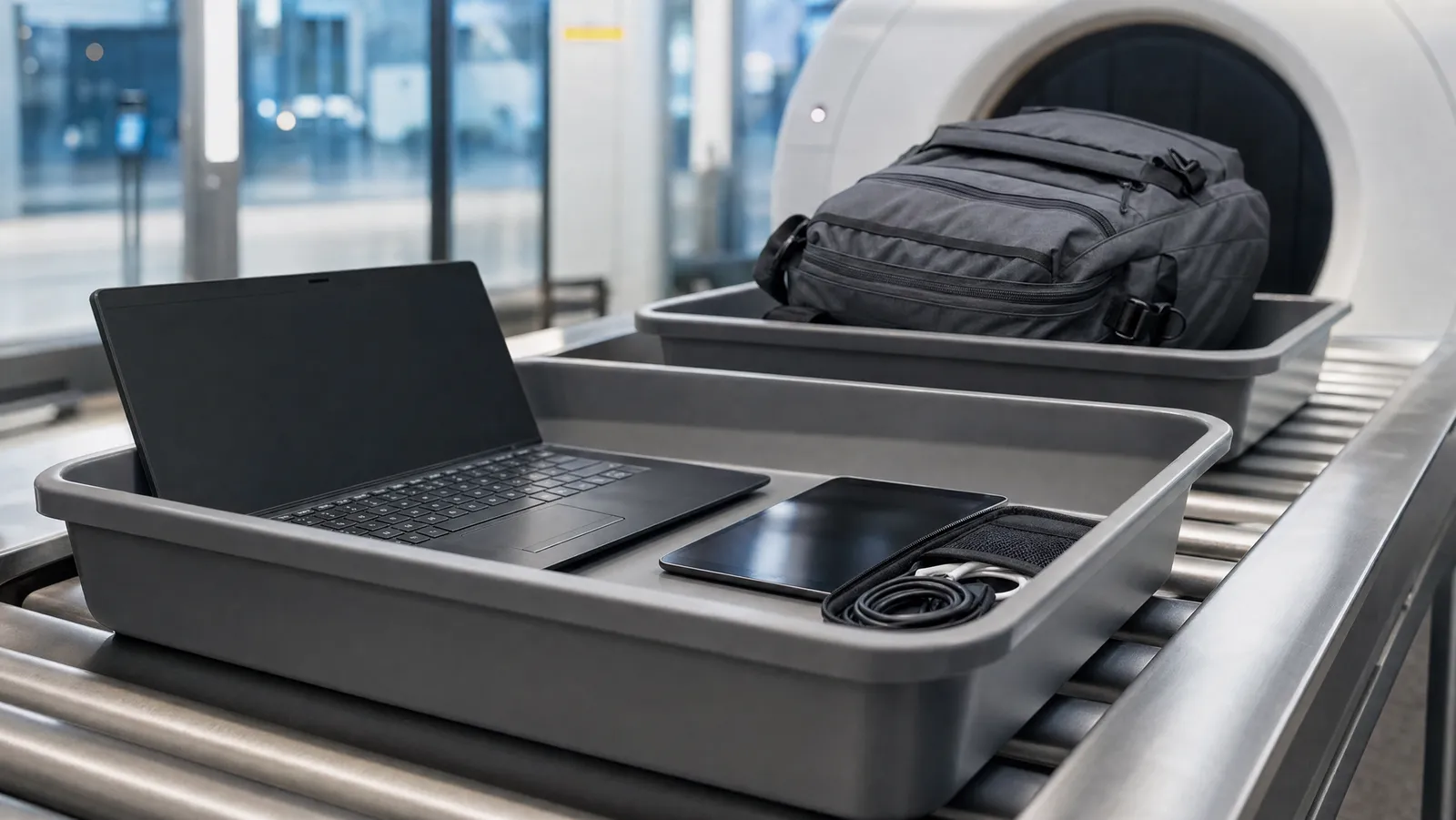
Whether you take laptops out at airport security in 2027 depends on the scanner in your lane, not the country you are flying from. Lanes fitted with a computed-tomography unit let electronics stay packed. Older two-dimensional X-ray lanes still want them out, in their own bin. One terminal can run both, side by side, on the same morning.
That is the whole mechanic, and it is why the question has no national answer. The permission attaches to the machine. Everything else below — TSA PreCheck, Heathrow, undeveloped film, protein powder — is a variation on that one fact. For the rest of what changed in the cabin this year, start with our guide to airline carry-on and security rules.
The permission belongs to the machine
The TSA's own computed tomography page, read on 10 November 2026, puts it in a single sentence: "Under current screening procedures for this technology, laptops are allowed to remain inside the bag for screening."
The hardware explains why. The TSA describes CT as "the latest checkpoint X-ray scanning equipment" for carry-on baggage: a three-dimensional image an officer can rotate through 360 degrees, with algorithms run over it to detect explosives, where conventional carry-on screening produces flat 2-D images. Your laptop comes out in an older lane for reasons of resolution, not suspicion — on the TSA's own account the difference is dimensional: a flat 2-D image cannot be turned to look behind a battery and a mainboard, and a 3-D one can.
So one checkpoint can give you contradictory instructions on consecutive days without anyone being wrong: the officer at the belt works to the machine behind them, not to a national rulebook — and there is none to appeal to. The same TSA page states the end point as an aspiration: "In the future, the goal is to keep laptops and 3-1-1 liquids inside of the bag during checkpoint screening." As of 10 November 2026 we found no TSA announcement abolishing electronics removal across US checkpoints — treat any headline saying the laptop rule has been scrapped as a description of equipment, not of law.
What the TSA still publishes for a standard lane
The default has not moved. The TSA's "What Can I Bring?" entry for laptops, read on 10 November 2026, says: "Please remove the laptops from your bag and place it in a separate bin for X-ray screening."
That page also carries the sentence that outranks every other rule here: "The final decision rests with the TSA officer on whether an item is allowed through the checkpoint." Officer discretion is itself a rule. If you are asked to unpack in a CT lane, you unpack.
The CT exemption is about removal, not about limits
This is the most common misreading of the subject. A CT lane changes what you unpack. It does not change what you may carry.
A CT lane does not authorise a 200 ml bottle, a third power bank, or a battery above the watt-hour threshold your carrier publishes. On liquids specifically, the TSA's CT page lists keeping 3-1-1 liquids in the bag among its future goals rather than current procedure, while a TSA press release dated 13 July 2026 announcing a new CT installation stated that "passengers screened in security lanes with CT units do not need to remove their travel-sized 3-1-1 liquids." Both sentences are about removal. Neither raises the 3.4 oz per container limit that the TSA's liquids rule applies at every US checkpoint.
Outside the US the same split holds, except that there the volume limit itself moves by airport — which is why airport liquid rules now depend on where you fly from rather than on your airline.
TSA PreCheck is a different variable
Do not collapse "PreCheck lane" and "CT lane" into one idea. PreCheck is an entitlement attached to you; CT is hardware attached to a lane. They turn up in any combination.
The TSA's PreCheck page states the entitlement directly: "With TSA PreCheck leave in your bag electronics and 3-1-1 liquids and leave on belts, light jackets, and shoes." Its laptops page repeats it: "TSA PreCheck travelers do not need to remove shoes, laptops, 3-1-1 liquids, belts or light jackets."
So electronics stay packed if either variable falls your way — a PreCheck lane with conventional X-ray, or a standard lane with a CT unit — and you unpack only when both go against you. PreCheck raises no limit — 3.4 oz containers in a quart-sized bag still apply — and the TSA warns that "All travelers will be screened, and no individual is guaranteed expedited screening."
Europe and the UK: upgraded airports, not upgraded countries
Same mechanic, different vocabulary. In Europe the machines are usually called C3 or next-generation scanners, and an airport that has finished its rollout publishes the relaxed instruction on its own pages.
Heathrow's hand baggage guidance tells passengers to "Keep laptops, tablets and other large electronic items in your bag", alongside its allowance to "Carry liquids in containers of up to 2 litres each". Dublin Airport's security page is equally explicit: "Liquids, gels and electronics can stay in your carry-on baggage when going through security."
Neither statement extends one metre beyond the airport that published it — and in Europe the reason is written into the rulebook rather than missing from it. Point 4.1.2.1 of the EU's aviation security regulation, Commission Implementing Regulation (EU) 2015/1998, states that "portable computers and other large electrical items shall be removed from cabin baggage and shall be screened separately, unless the cabin baggage is to be screened with Explosive Detection Systems (EDS) equipment meeting standard C2 or higher". Removal is the European default; the relaxed instruction is an equipment exemption, which is exactly why it arrives airport by airport. An airport can also keep the 100 ml liquid cap while still letting your laptop stay packed.
One UK rule has nothing to do with scanners and catches people anyway. GOV.UK's hand luggage guidance says to "Make sure your electronic devices are charged before you travel", and warns that "If your device does not switch on when requested, you will not be allowed to take it onto the aircraft." A flat laptop is a refusable laptop.
What comes out of the bag, lane by lane
| Lane you are standing in | Laptop and large electronics | Travel-size liquids | Source we checked |
|---|---|---|---|
| US standard lane, conventional X-ray | Out, in a separate bin | Out, in the quart-sized bag | TSA laptops page |
| US standard lane with a CT unit | Stay in the bag | TSA's CT page calls this a future goal; its July 2026 release says CT-lane passengers need not remove them | The TSA |
| US TSA PreCheck lane | Stay in the bag | Stay in the bag, still 3.4 oz per container | TSA PreCheck page |
| Heathrow, all terminals | Stay in the bag | Up to 2 litres per container | Heathrow's own page |
| Dublin Airport | Stay in the bag | Up to 2 litres per container | Dublin Airport's own page |
| Any lane, where an officer instructs you | Out | Out | TSA: the officer has the final decision |
Checked November 2026. Screening procedures and airport equipment change without notice — read your departure airport's own security page, and the TSA's current guidance for US departures, before you fly.
What still comes out almost everywhere
Four things survive the CT upgrade, and only one of them is about electronics.
- Large electronics in a conventional lane. Still the TSA's published default, per its laptops page.
- Powders over a threshold, on US routes. The TSA's own guidance states that "Powder-like substances greater than 12 oz. / 350 mL must be placed in a separate bin for X-ray screening." Coffee and protein powder are the usual casualties.
- Undeveloped film. The one category where the better scanner is the worse outcome.
- Anything an officer asks for. That discretion sentence applies in every lane, including the newest one.
Camera film is the real exception
If you shoot film, a CT lane is the thing to avoid rather than the thing to hope for.
Kodak Alaris publishes the strongest manufacturer line we found: it "strongly advises against putting any unexposed or exposed but unprocessed film through a CT Scanner." Its guidance is to pack film in a clear, resealable plastic bag, take it out of your carry-on at the checkpoint and request a hand inspection, and it warns that "Hand inspections may not be guaranteed at all airports", advising travellers to contact the airport in advance. It also closes off the obvious workaround: do not move film to checked baggage, because checked bags are CT screened too.
The TSA's own film page, read on 10 November 2026, points the same way without naming the technology: "We recommend that you put undeveloped film and cameras containing undeveloped film in your carry-on bags", and "take undeveloped film with you to the checkpoint and ask for a hand inspection."
On the ISO question, be careful with what you may have read. The familiar rule of thumb — tolerable at ISO 800 and below — was written about conventional X-ray machines. Neither the TSA's film page nor Kodak's CT advisory draws an ISO line for CT scanners, and HARMAN Lab, the lab operation behind ILFORD film, attaches no speed qualifier to its CT advice at all: it confines the ISO 800 reassurance to "old type X-ray scanners" and tells travellers to "request hand inspection where CT X-ray scanners are in use". Treat a CT lane as a risk at every film speed, including a loaded camera body and a single-use camera.
The procedure is undramatic. Keep film in one clear bag in an outside pocket, pull it out before your bag goes near the belt, and ask the officer at the head of the lane rather than whoever is loading trays. If the answer is no, Kodak's fallback — buying and processing locally — beats a fogged roll. Camera batteries are a separate regime, covered in our notes on flying with spare batteries, cameras and drones.
Hard drives, SSDs and memory cards
Here the folklore runs the other way. We looked for a regulator or manufacturer advisory warning that checkpoint X-ray or CT screening damages solid-state drives, memory cards or spinning hard disks, and found none as of November 2026.
What exists instead is a telling absence: the TSA publishes a specific hand-inspection recommendation for undeveloped film and nothing equivalent for digital storage, and it lists laptops as permitted in both carry-on and checked baggage. We would not ask for a hand inspection of a memory card.
Back up anyway for the ordinary reasons: the realistic threats to a nomad's drives are theft, a dropped bag and an unplanned gate-check, not the scanner. If the hardware in your bag is worth more than the flight, read how tech gear cover works inside a travel insurance policy first.
Packing so the bag survives either lane
You cannot know which lane you will get, and that is the design constraint: the bag has to be unpackable to the old standard in about ten seconds, and left alone in a CT lane.
- One sleeve that lifts out whole. A laptop in a dedicated slot against the back panel comes out in one movement; a laptop under a jumper and three cables does not. It is the first thing we look for in a laptop daypack.
- One pouch for the loose tech. Charger, hub, cables and adapters in one case means one tray instead of four and nothing left in a bin — which is why we rate tech pouches and cable organisers partly on how fast they go back in.
- Batteries in one known pocket you can reach without unpacking. You will want them at the gate as often as at the checkpoint, because the power bank rules at a growing number of airlines now govern where a bank may sit in the cabin, not only whether it may fly.
- A fixed home for everything. The ten-second standard is muscle memory, which is the point of organising a nomad backpack the same way every time.
- Know the weight before you leave. A gate-checked cabin bag is one you must open in a jet bridge to pull the batteries out, and the argument for luggage scales and trackers is that you learn the number at home, not at a desk.
One last thing about the same airport trip: the check that strands nomads is rarely the scanner. It is the airline desk asking for proof of onward travel before it will print a boarding pass, long before you reach a tray.
The bottom line
As of 10 November 2026 the TSA's published position is that laptops may stay in the bag in a lane with a CT unit, must come out into a separate bin in a conventional lane, stay in for PreCheck members in either, and come out whenever the officer in front of you says so. Heathrow and Dublin publish the relaxed instruction for their own checkpoints only. No country has abolished laptop removal; equipment has.
So pack as though you will be asked: one sleeve, one tech pouch, one battery pocket, and film in a clear bag you hand over before the belt. Then read the full carry-on rules guide for the limits that no scanner changes.
Frequently Asked Questions
Do you have to take your laptop out at airport security in the United States?
In a conventional lane, yes. The TSA's laptops page instructs passengers to "remove the laptops from your bag and place it in a separate bin for X-ray screening." In a lane with a computed-tomography unit, the TSA's CT page says laptops "are allowed to remain inside the bag for screening" under current procedures.
Does TSA PreCheck let you keep your laptop in the bag?
Yes. The TSA's PreCheck page tells members to "leave in your bag electronics and 3-1-1 liquids and leave on belts, light jackets, and shoes", whichever scanner the lane uses. It raises no limit, and the TSA warns that "no individual is guaranteed expedited screening", so an officer can still ask you to unpack.
How can you tell whether your lane has a CT scanner?
Read the lane, not the airport. The signage at the head of the queue and the officer's instruction follow the equipment in that lane. If nobody says anything, leave the laptop packed and take it out the moment you are asked.
Will a CT scanner ruin undeveloped camera film?
Treat it as likely. Kodak Alaris "strongly advises against putting any unexposed or exposed but unprocessed film through a CT Scanner", and neither its guidance nor the TSA's film page sets a safe ISO threshold for CT. The familiar "ISO 800 and below is fine" rule was written about conventional X-ray machines.
How do you ask for a hand inspection of film?
Kodak's published procedure is to pack film in a clear, resealable plastic bag, take it out of your carry-on at the checkpoint and request a hand inspection. The TSA says to "take undeveloped film with you to the checkpoint and ask for a hand inspection." Ask before your bag enters the machine; Kodak warns that hand inspections are not guaranteed everywhere.
Does airport screening damage SSDs, hard drives or memory cards?
We found no regulator or manufacturer advisory saying so as of November 2026. The TSA recommends hand inspection for undeveloped film and publishes nothing equivalent for digital storage, and it lists laptops as permitted in carry-on and checked baggage. Back up for the ordinary reasons — theft, loss, a dropped bag — not for the scanner.