Digital Nomad Ergonomics: How to Prevent Pain While Working from Anywhere

Three years into full-time nomadic work, my wrists started tingling. Then came the neck pain that wouldn't go away. Then the headaches that appeared every afternoon. I ignored the signs until I couldn't ignore them—and spent the next six months recovering from issues that proper habits would have prevented.
This guide shares what I learned the hard way: how to work sustainably from anywhere without destroying your body in the process.
The nomad lifestyle presents unique ergonomic challenges. You can't control that café chair's height or that Airbnb desk's depth. You're constantly adapting to new environments with unpredictable furniture. The "freedom" of working anywhere often means working in positions that would make any ergonomist cringe.
But you can carry smart habits and minimal gear that transform any space into a sustainable workspace. The investment is small; the payoff is a career that doesn't end in chronic pain.
Ergonomics Quick Reference
For a complete overview of building your mobile workstation, see our complete remote work setup guide.
In this guide:
- Understanding the Risks
- The Fundamental Principles
- Setting Up Any Workspace
- Essential Gear for Ergonomic Nomadism
- Stretches and Exercises
- Building Sustainable Habits
- Warning Signs and When to Seek Help
- FAQ
Understanding the Risks
Working at a laptop creates specific physical stresses that compound over time. Understanding what's happening to your body helps motivate prevention.
Neck and Upper Back
When you look down at a laptop screen, your head tilts forward. Your head weighs about 10-12 pounds when balanced directly over your spine. Tilt it forward 30 degrees (typical laptop viewing angle), and your neck muscles now support the equivalent of 40 pounds. Tilt 45 degrees, and it's 50+ pounds.
The result: Chronic neck strain, tension headaches, upper back pain, and potential nerve issues.
Shoulders
Laptop keyboards force your shoulders inward. The narrow keyboard width positions your arms closer together than natural, internally rotating your shoulders. Hours in this position tightens chest muscles and weakens upper back muscles.
The result: Rounded shoulders, upper back tension, shoulder pain, and restricted movement.
Wrists and Hands
Laptop keyboards sit low and flat, often forcing your wrists into extension (bent upward). The integrated trackpad requires repeated precise movements with your fingers while your wrist remains static. These positions compress the carpal tunnel and strain tendons.
The result: Carpal tunnel syndrome, tendinitis, numbness, tingling, and weakness.
Lower Back
Café chairs and random Airbnb furniture rarely support proper posture. Without lumbar support, you either hunch forward or slump backward. Both positions strain the lower spine and the muscles supporting it.
The result: Lower back pain, herniated discs, sciatica, and chronic discomfort.
Eyes
Screens produce blue light that strains eyes. Low-quality lighting creates glare. Variable screen distances force constant refocusing. Reduced blinking while concentrating dries your eyes.
The result: Eye strain, headaches, dry eyes, and potential long-term vision issues.
The Fundamental Principles
Ergonomics isn't about perfect furniture—it's about maintaining natural body positions. These principles apply regardless of your workspace:
Principle 1: Screen at Eye Level
Your eyes should look straight ahead to see the top third of your screen. This keeps your head balanced over your spine, eliminating neck strain.
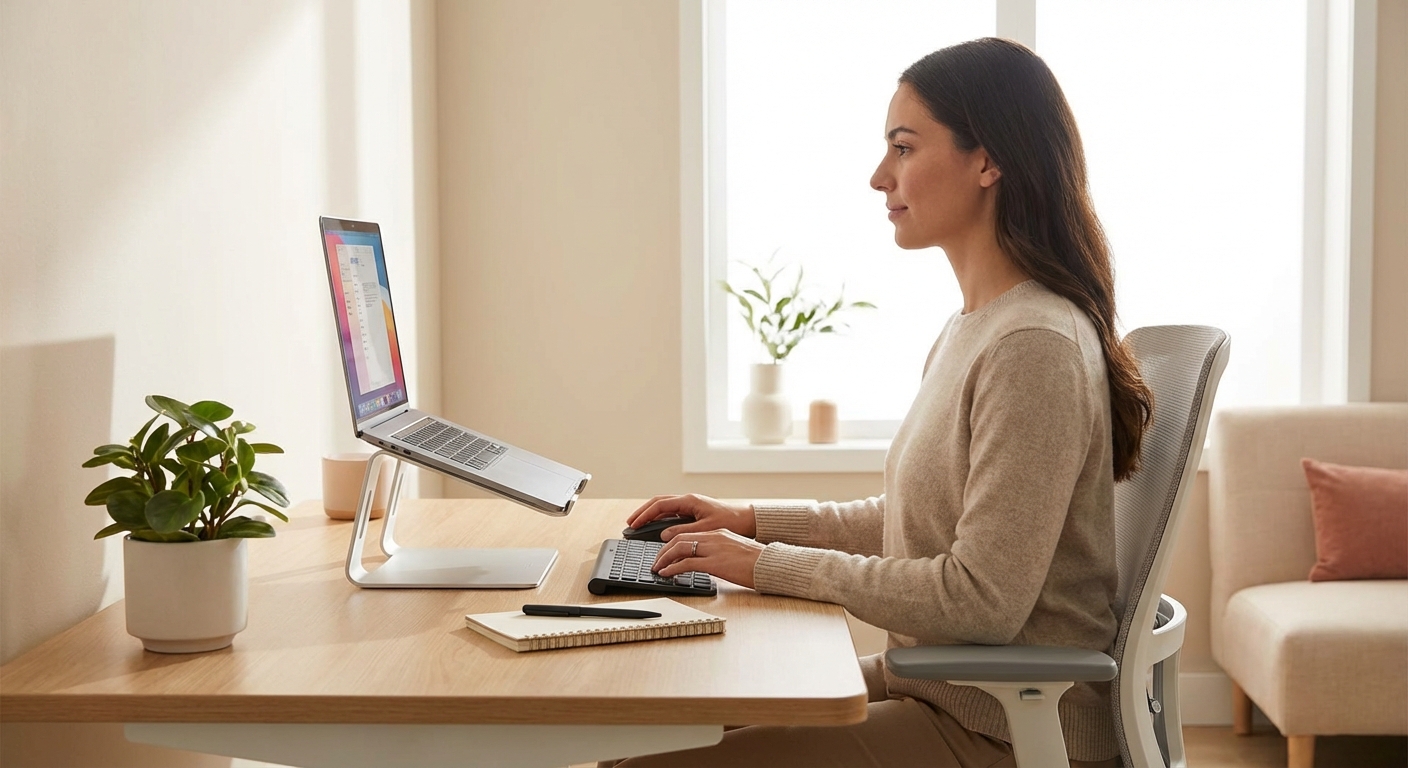
How to achieve it anywhere: A portable laptop stand raises your screen 6-12 inches. Combined with an external keyboard, this single change prevents most neck problems.
Principle 2: Arms at 90 Degrees
Your elbows should bend at approximately 90-100 degrees when typing. Forearms should be parallel to the floor or angled slightly downward. This position minimizes strain on shoulders, elbows, and wrists.
How to achieve it anywhere: Chair height determines arm position. If the chair is too low, sit on a folded jacket. If too high, request a different chair or stand briefly.
Principle 3: Feet Flat, Thighs Parallel
Your feet should rest flat on the floor with thighs parallel to the ground. This position distributes weight properly and supports your lower back.
How to achieve it anywhere: Adjust chair height when possible. If you can't, improvise a footrest (backpack, books, whatever's available).
Principle 4: Wrists Neutral
Your wrists should remain straight—not bent up, down, or to the side—while typing. This position keeps tendons and nerves in alignment, preventing repetitive strain injuries.
How to achieve it anywhere: An external keyboard at the right height makes neutral wrists possible. Laptop keyboards at table height almost always force wrist extension.
Principle 5: Move Regularly
No position is sustainable indefinitely. Human bodies are designed for movement, not static postures. Regular movement prevents muscles from tightening and joints from stiffening.
How to achieve it anywhere: Set a timer. Stand up. Walk. Stretch. This habit matters more than any gear.
Setting Up Any Workspace
Step-by-Step Guide
Adapting to Imperfect Spaces
Reality: most nomad workspaces aren't ideal. Here's how to cope:
Café tables (often too high):
- Raise your chair with cushions
- Use a laptop stand at lower setting
- Take more frequent breaks
Low tables (like coffee tables):
- Don't work from these for extended periods
- If you must, sit on the floor with back support
- Limit sessions to 30 minutes
Bar-height counters:
- Can work well for standing if height is appropriate
- Use laptop stand to raise screen further
- Don't stand statically—shift weight, move
Hotel desks:
- Usually acceptable with a laptop stand
- Check chair adjustability
- Supplement lighting if dim
Airbnb dining tables:
- Wide tables provide good space
- Chair quality varies—test before committing
- May need to improvise footrest
Essential Gear for Ergonomic Nomadism
Minimal gear makes maximum difference. These items are worth their weight:
Must-Have: Laptop Stand
A portable laptop stand is the single most impactful ergonomic tool for nomads. It weighs 6-10 oz, fits anywhere, and transforms neck-destroying laptop positioning into eye-level viewing.
Recommended: Roost V3 (premium) or Nexstand K2 (budget)
Must-Have: External Keyboard
Once your laptop is elevated, you need somewhere to type. A compact travel keyboard keeps your hands at the right height while your screen stays at eye level.
Recommended: Logitech K380 (budget) or MX Keys Mini (premium)
Should-Have: External Mouse
While optional, a dedicated mouse reduces wrist strain compared to trackpads. Trackpads force repeated small movements; mice allow larger arm movements.
Recommended: Logitech MX Anywhere 3S or Pebble 2
Nice-to-Have: Portable Monitor
A portable monitor doubles your screen real estate, reducing the constant window-switching that strains your eyes and neck.
The Complete Travel Kit
| Item | Weight | Impact |
|---|---|---|
| Laptop stand | 6-10 oz | Critical |
| Keyboard | 14-17 oz | Critical |
| Mouse | 3-4 oz | High |
| Total | ~1.5-2 lbs |
This kit solves 90% of nomad ergonomic issues for under 2 pounds.
Stretches and Exercises
Gear alone isn't enough. Regular movement prevents the stiffness and imbalances that lead to injury.
Micro-Breaks (Every 20 Minutes)
Set a timer. Every 20 minutes:
20-20-20 Eye Rule: Look at something 20 feet away for 20 seconds. This relaxes eye muscles that tighten during close screen work.
Neck Rolls: Slowly roll your head in a circle—forward, to the side, back, to the other side. Five circles each direction.
Shoulder Shrugs: Raise shoulders toward ears, hold 3 seconds, drop. Repeat 5 times.
Time required: 60 seconds.
Longer Breaks (Every 60-90 Minutes)
Every hour or so, take 5 minutes for deeper stretches:
Chest Doorway Stretch: Stand in a doorway, forearm against the frame, elbow at 90 degrees. Lean forward gently until you feel a stretch across your chest. Hold 30 seconds. Switch sides.
Chin Tucks: Sit up straight. Pull your chin back (making a "double chin") without tilting your head. Hold 5 seconds. Repeat 10 times. Strengthens neck muscles weakened by forward head posture.
Seated Spinal Twist: Sit sideways in your chair. Hold the back of the chair and twist your torso toward it. Hold 30 seconds. Switch sides.
Wrist Flexor Stretch: Extend your arm straight, palm up. With your other hand, gently pull your fingers down toward the floor. Hold 30 seconds. Switch hands.
Wrist Extensor Stretch: Extend your arm straight, palm down. With your other hand, gently pull your fingers down. Hold 30 seconds. Switch hands.
Daily Maintenance (5-10 Minutes)
Beyond work breaks, daily practice prevents accumulation:
Cat-Cow Stretch: On hands and knees, alternate between arching your back (cow) and rounding it (cat). 10 cycles.
Thread the Needle: On hands and knees, reach one arm under your body, lowering that shoulder to the ground. Hold 30 seconds. Switch sides.
Child's Pose: From hands and knees, sit back on your heels, arms extended forward. Hold 60 seconds.
Wall Angels: Stand with back against wall. Raise arms to shoulder height, elbows bent 90 degrees. Slowly slide arms up and down while keeping contact with wall. 10 repetitions.
Weekly Strengthening
Strong muscles support good posture. Consider adding:
Rows: Strengthen upper back muscles that counteract rounded shoulders.
Planks: Strengthen core that supports lower back.
Face Pulls: Target rear deltoids and rotator cuff for shoulder health.
Farmer's Walks: Build grip strength that protects against wrist issues.
Building Sustainable Habits
Knowledge without action changes nothing. These systems help turn ergonomic awareness into automatic behavior:
The Timer Method
Set recurring timers throughout your work day:
- Every 20 minutes: Micro-break (eye rest, quick stretch)
- Every 60 minutes: Longer stretch break (5 minutes)
- Every 2-3 hours: Walk break (10+ minutes)
Apps like Stretchly, Time Out, or simple phone alarms work. The key is consistency—habits form through repetition.
The Setup Ritual
Create a non-negotiable sequence when starting work:
- Set up laptop stand
- Position keyboard and mouse
- Adjust chair/seating
- Check posture
- Start timer
Making setup automatic prevents "just this once" compromises that become permanent bad habits.
The Pain Journal
If you're experiencing discomfort, track it:
- What hurts?
- When does it hurt?
- What were you doing before?
- What workspace were you using?
Patterns emerge. Maybe a specific café's chairs are problematic. Maybe afternoons are worse (fatigue). Data enables targeted solutions.
The Accountability Partner
Find a fellow nomad or remote worker committed to ergonomic health. Check in weekly:
- How consistently did you take breaks?
- Any new pain or discomfort?
- What worked well?
- What needs adjustment?
External accountability strengthens internal motivation.
Warning Signs and When to Seek Help
Some discomfort is normal when changing habits or building new setups. Other signs demand attention:
Yellow Flags (Monitor Closely)
- Muscle soreness after long sessions (usually resolves with rest)
- Mild stiffness in the morning (often improves with movement)
- Occasional headaches (often lighting or eye-strain related)
- General fatigue (may be posture, may be other factors)
Action: Improve your setup, increase breaks, add stretches. If symptoms persist more than 2 weeks, escalate.
Red Flags (Seek Professional Help)
- Numbness or tingling in hands, fingers, or arms—especially if persistent
- Weakness in hands or grip strength
- Radiating pain from neck down arm or from back down leg
- Pain that wakes you up at night
- Pain that doesn't improve with rest over several days
- Swelling in joints or visible inflammation
Action: See a healthcare professional—physical therapist, orthopedist, or sports medicine doctor. These symptoms can indicate nerve compression, tendinitis, or other conditions that worsen without treatment.
The Prevention Mindset
Recovering from repetitive strain injuries takes months. Preventing them takes minutes daily. Every break, every stretch, every proper setup is an investment in your ability to continue working.
The nomad lifestyle depends on your ability to work. Protect that ability.
FAQ
Frequently Asked Questions
The Long View
Your ability to work is your most valuable asset as a digital nomad. Ergonomics isn't about comfort—it's about sustainability. Every hour you work with good posture is an hour that doesn't accumulate damage. Every break you take is an investment in decades of productive work ahead.
The nomad lifestyle offers incredible freedom. Don't let preventable injuries take that freedom away.
Start today:
- Get a laptop stand (if you haven't)
- Set a 20-minute timer
- Take breaks when it goes off
- Do 5 minutes of stretches before bed
Small actions compound. Your future self will thank you.
Related guides:
- Complete Remote Work Setup Guide
- Best Portable Laptop Stands
- Best Travel Keyboards and Mice
- Portable Standing Desk Solutions
- How to Work Productively from Cafes
About the Author