How to Run Starlink Mini From a Power Bank (Watt-by-Watt Guide)
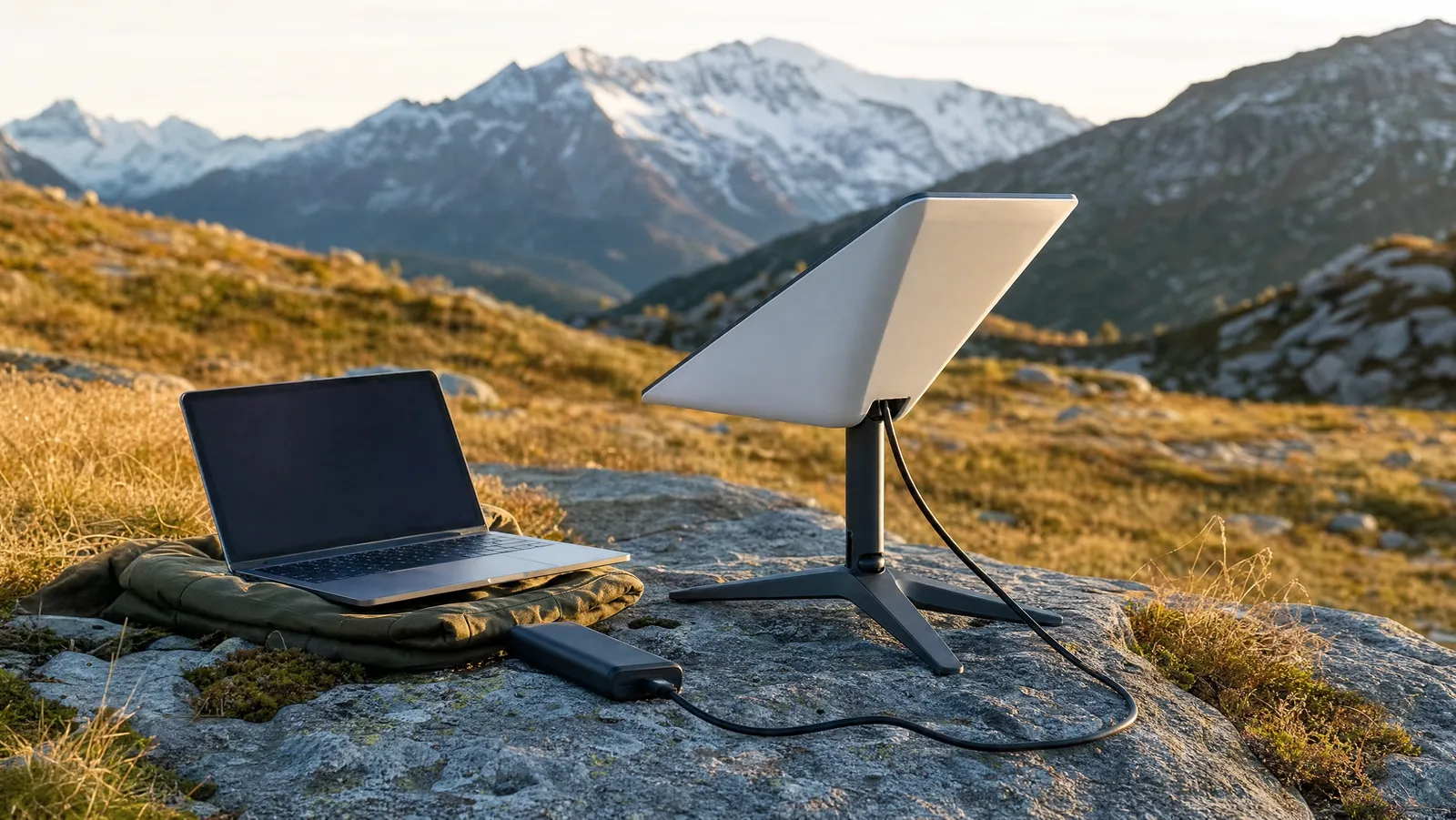

Yes, you can run Starlink Mini off a power bank. You need three things: a USB-C bank that can deliver 100W (20V at 5A), a USB-C-to-DC barrel trigger cable rated for that, and roughly 20 watt-hours of stored energy per hour of dish time. A 100Wh airline-legal bank runs the dish about five hours.
That last number is the one that surprises people. The Mini is famous for sipping power compared to the full-size dish, but "sipping" still means a laptop-and-a-half of continuous draw, and a pocket bank is a small fuel tank. The good news is that the arithmetic is simple once you know the three numbers that matter, and this guide walks all three of them.
This is the power chapter of our series on off-grid internet and power for remote work — how to feed the dish without a car, an inverter, or a 30 lb battery on the passenger seat.
The Short Answer: What You Need to Run Starlink Mini Off a Power Bank
Three components, in order of how often people get them wrong.
1. A cable that turns USB-C PD into DC. The Mini takes DC through a barrel jack, not USB-C. A trigger cable sits between them: it negotiates a fixed voltage from the bank's Power Delivery controller and passes it to the barrel plug. Accessory specialist MobileMustHave sells its Mini battery kit specifically for use with a USB-C PD supply of 65W or greater, and CTmods' Starlink Mini PD requirements guide is blunter — target a source that can put out 100W (20V at 5A) if you want the dish to behave under every condition.
2. A bank with enough instantaneous output. Not average output — peak. The dish pulls a hard burst while it boots and finds satellites, and a bank that tops out at 30W will brown out right when you plug in.
3. Enough watt-hours. Capacity, not output, decides how long you work. This is where mAh labels mislead almost everyone, and we fix that below.
If you already own a 100W USB-C bank for your laptop, you likely need to buy exactly one thing: the cable. For the hardware side, our Starlink Mini review covers a full working month with the unit.
Starlink Mini Power Consumption: Idle, Steady-State, and the 60W Spike
Starlink's own support documentation lists the Mini at an average of 20–40W with 15W at idle, a figure echoed across accessory guides including Anker SOLIX's Starlink Mini power write-up. That is the number to design against if you want margin.
Real-world draw is lower, and got lower again this year. Field measurements published by SpaceLink-Systems and Woyum's 2026 runtime guide agree that a firmware update pushed in late January 2026 cut draw by roughly 25 percent. SpaceLink-Systems puts steady-state consumption after that update at 16–20W, settling around 17W with a clear sky view; Woyum's own table is more conservative, still listing typical active use at 20–35W, so treat the lower band as a clear-sky best case rather than a guarantee. Both sources flag the same startup behaviour: the Mini briefly peaks near 60W while it boots and acquires signal (Woyum gives the spike as a 40–60W range).
| State | Draw | Where it comes from |
|---|---|---|
| Idle / standby | ~15W | Starlink's published spec |
| Starlink's published average | 20–40W | Starlink's published spec |
| Steady state after Jan 2026 firmware | 16–20W (~17W typical) | Independent 2026 field measurements |
| Boot and satellite acquisition | ~60W, first few minutes | Independent 2026 field measurements |
Two takeaways. First, size your battery on 17–20W and your power source on 60W. They are different jobs: watt-hours cover the workday, peak watts cover the first ninety seconds. Second, firmware and hardware revisions move these numbers — the January 2026 update alone invalidated most runtime charts published before it. Put an inline USB-C power meter between your bank and the cable for one workday and measure your own unit. It costs less than a tank of gas and ends the guessing permanently.
mAh to Wh: The Conversion That Sizes Your Starlink Mini Battery Pack
This conversion is the most useful thing in this article. Power banks are marketed in mAh; dishes consume watt-hours. Different units, and the printed number is not what you get.
The formula, per UDPOWER's conversion reference:
(mAh x nominal cell voltage) / 1000 = watt-hours
Most power bank cells sit at a nominal 3.7V, so a 10,000mAh bank stores about 37Wh — not 10,000 of anything useful to a dish. Worked through:
- 10,000mAh x 3.7V / 1000 = 37Wh
- 20,000mAh x 3.7V / 1000 = 74Wh
- 27,000mAh x 3.7V / 1000 = ~100Wh
Then subtract the tax. Power banks boost cell voltage up to USB output voltage, and that conversion sheds energy as heat. PowerBankTests measures DC-DC converter efficiency at 90.2 percent at a 1A load, falling to 84.3 percent above 3A, and reports a rated 20,000mAh bank typically delivering about 12,373mAh at 5V — roughly 62Wh out of the 74Wh it stores, or an end-to-end efficiency around 85 percent in watt-hour terms. So a 20,000mAh bank stores 74Wh and delivers roughly 63Wh. (Note that the same bank looks far worse quoted in mAh, because the rated number is measured at 3.7V and the output at 5V — always compare watt-hours.)
There is a hard ceiling worth knowing before you buy: the TSA allows lithium batteries up to 100Wh in carry-on without restriction, permits 100–160Wh only with airline approval, and prohibits anything over 160Wh on commercial aircraft — and spare batteries can never go in checked luggage. If you fly to your off-grid locations, 100Wh is your practical maximum, which caps you at about five hours of dish time per bank. Our guide to choosing the biggest power bank you can actually travel with works through that trade-off in detail.
Runtime Math: How Long a Power Bank Actually Runs the Dish
Runtime = (watt-hours x 0.85) / watts drawn. We run every bank against two draw figures: 17W (measured typical, clear sky, mild weather) and 25W (conservative — cold, obstructed, or a pre-firmware unit).
| Bank or battery | Stored Wh | Hours at 17W | Hours at 25W |
|---|---|---|---|
| 10,000mAh | 37Wh | ~1.8 | ~1.3 |
| 20,000mAh | 74Wh | ~3.7 | ~2.5 |
| 27,000mAh (airline ceiling) | ~100Wh | ~5.0 | ~3.4 |
| 40,000mAh (needs airline approval) | ~148Wh | ~7.4 | ~5.0 |
| 256Wh power station | 256Wh | ~12.8 | ~8.7 |
| 512Wh power station | 512Wh | ~25.6 | ~17.4 |
Read the top three rows honestly. A pocket bank is a session battery, not a workday battery. At 17W, an eight-hour workday costs about 136Wh — more than any airline-legal bank holds, before you charge a laptop or a phone. That 256Wh row, giving nearly 13 hours of dish time, is why full-timers end up at a power station rather than a bank; our roundup of the best portable power stations for remote work covers that jump.
The bank still earns its place: a three-hour work block away from any outlet, a backup while the station charges, the thing you carry up a ridge when the vehicle stays below.
The Trigger Cable Is the Part People Get Wrong
The cable is not an adapter. It is an active device: a PD trigger chip requests a specific voltage profile from the bank, then feeds the barrel jack. Three specs decide whether it works.
- Requested voltage. Starlink documents the Mini's input range as 12–48V. Trigger cables built for the Mini request 20V, comfortably inside that band. A generic USB-C-to-barrel cable that only negotiates 9V or 12V is a coin flip at best.
- Current rating. 20V at 5A is 100W. Cables sold for this job — listings from vendors such as Steinwhale and fovyna say the same thing — are specified around 20V/5A with 100W PD input, using thicker conductors (19AWG in the Steinwhale listing) precisely because thin wire drops voltage under load.
- Length. Every extra metre costs voltage at the far end. Buy the shortest cable that reaches; treat long runs as a 12V wiring problem instead.
What goes wrong in practice: a cheap cable negotiates a lower profile, the dish sees under 12V, and it refuses to boot or reboots whenever traffic spikes. That failure looks exactly like a bad dish. It is a bad cable.
Why an Inverter Is the Wrong Answer
Because you would be converting the same energy twice for nothing.
The Mini runs on DC and your bank stores DC. Put an inverter in the middle and the chain becomes DC to AC to DC — battery, inverter, Starlink's AC supply, back down to DC. Every stage takes a cut. Published inverter efficiency figures put a single DC-to-AC conversion at 85 to 95 percent, averaging around 90 percent. Stack an AC-to-DC stage on top of that and the two multiply, so the round trip lands somewhere in the low 80s to low 90s — meaning 10 percent or more of your battery burned on conversion alone, and realistically closer to 20. On a 100Wh bank that is at least a half hour of dish time thrown away per charge.
Many power stations also idle their inverter at several watts just to keep the AC outlet live, quietly draining the battery overnight with nothing plugged in. Run DC to DC wherever the device allows it. For the Mini, it always does.
The Starlink Mini 12V Route: Car Sockets, Vans, and DC Wiring
If you have a vehicle, skip the power bank question entirely. Starlink's own Mini Car Adapter is documented as requiring a 12–24V source and works from any standard automotive auxiliary socket, replacing the kit's mains power supply and 15m cable. It is the cleanest path for anyone whose office has wheels.
Third-party 12V cables do the same job, and many include a step-up booster because a house battery sitting at 12.4V has almost no margin against the Mini's 12V floor once you add cable losses. That is the real Starlink Mini 12V trap: 12V is supported, but a sagging 12V system arrives at the dish as 11-point-something and the dish drops out. A boosted cable or a heavier-gauge run fixes it. Fuse the circuit at the source, sized for the cable rather than the dish, and oversize the wire — the Mini has less headroom below 12V than almost anything else in the van.
For the subscription side of vehicle-based use, see our breakdown of Starlink Roam plans.
What Pushes Your Draw Up: Cold, Obstructions, and Heavy Days
The 17W figure is a clear-sky, mild-weather, moderate-use number. Three things move it, and all three move it the wrong way.
Cold. The Mini heats itself to stay in its operating range. 4WDTalk's field breakdown reports that cold air raises draw because the dish runs internal heating to stay in range, and advises budgeting for the upper end of the wattage range on winter trips rather than the typical figure. Winter runtime built on summer measurements comes up short.
Snow melt. When the dish detects accumulation it heats automatically. Per ShuttlePressKit's snow melt guide, heating can add up to 50W during active periods — though it runs in bursts of minutes rather than continuously, and the Mini's heater is lower-capacity than the residential dish's, which spikes far higher. Budget for the bursts, not for 50W all day.
Obstructions and traffic. A dish fighting tree cover reconnects more often than one under open sky, and heavy upload days cost more than reading email. Neither is dramatic alone; stacked on a cold morning they are the difference between finishing a call and not.
The practical response is not a bigger spreadsheet. It is 20 percent headroom on whatever number your own meter gives you.
Five Failure Modes We Design Around
- The bank goes to sleep. Many power banks cut output when they see very low current. A dish idling at 15W usually stays above that threshold, but some users report banks dropping out during quiet periods. Look for a bank with a low-current or "trickle" mode you can enable.
- The wrong voltage gets negotiated. The most common failure by a wide margin. Verify the cable states 20V explicitly.
- The cable is too thin for the current. 5A through undersized wire means voltage drop and heat. Check the stated gauge before the price.
- No headroom for the boot spike. A bank that maxes out at 45W may run the dish happily at steady state and still fail every time it starts. Test a cold boot before you rely on it.
- You measured once, in July. Cold weather, firmware, or a hardware revision all move your draw. Re-measure seasonally.
What We'd Actually Buy
We are not naming a bank and a price here, because the right answer depends on whether you fly.
If you fly to your locations: a 100W-output USB-C bank at or just under 100Wh, plus a 20V/5A trigger cable. That combination is airline-legal, runs the dish about five hours, and doubles as your laptop charger.
If you drive: skip the bank as a primary and buy a 12V cable plus a power station in the 256–512Wh class — a full workday of dish time with margin, recharged from the vehicle while you move.
If you stay put for days: add generation. A bank without a way to refill it is a countdown timer, and 100Wh disappears in one afternoon. Our guide to portable solar panels covers what actually refills a battery in the field versus what the sticker claims.
The Bottom Line
Running a Starlink Mini from a power bank is a solved problem, and the solution is arithmetic rather than gear. Multiply mAh by 3.7 and divide by 1,000 to get real watt-hours. Take 85 percent of that. Divide by 20W. That is your honest runtime, and it is short enough that anyone planning a full off-grid workday should be shopping for a power station instead of a bigger bank.
Buy the cable that states 20V and 5A. Give the dish 60W of headroom for the moment it boots. Skip the inverter entirely, because the Mini speaks DC natively and every conversion is a tax. Then measure your own unit with an inline meter, in the season you actually work in, and design around that number instead of ours.
The rest of the stack — dishes, plans, stations, panels, and the backup plan for when all of it fails — lives in our complete guide to off-grid internet for remote work.
About the Author