The Off-Grid Remote Work Checklist: Prep a Workweek Anywhere
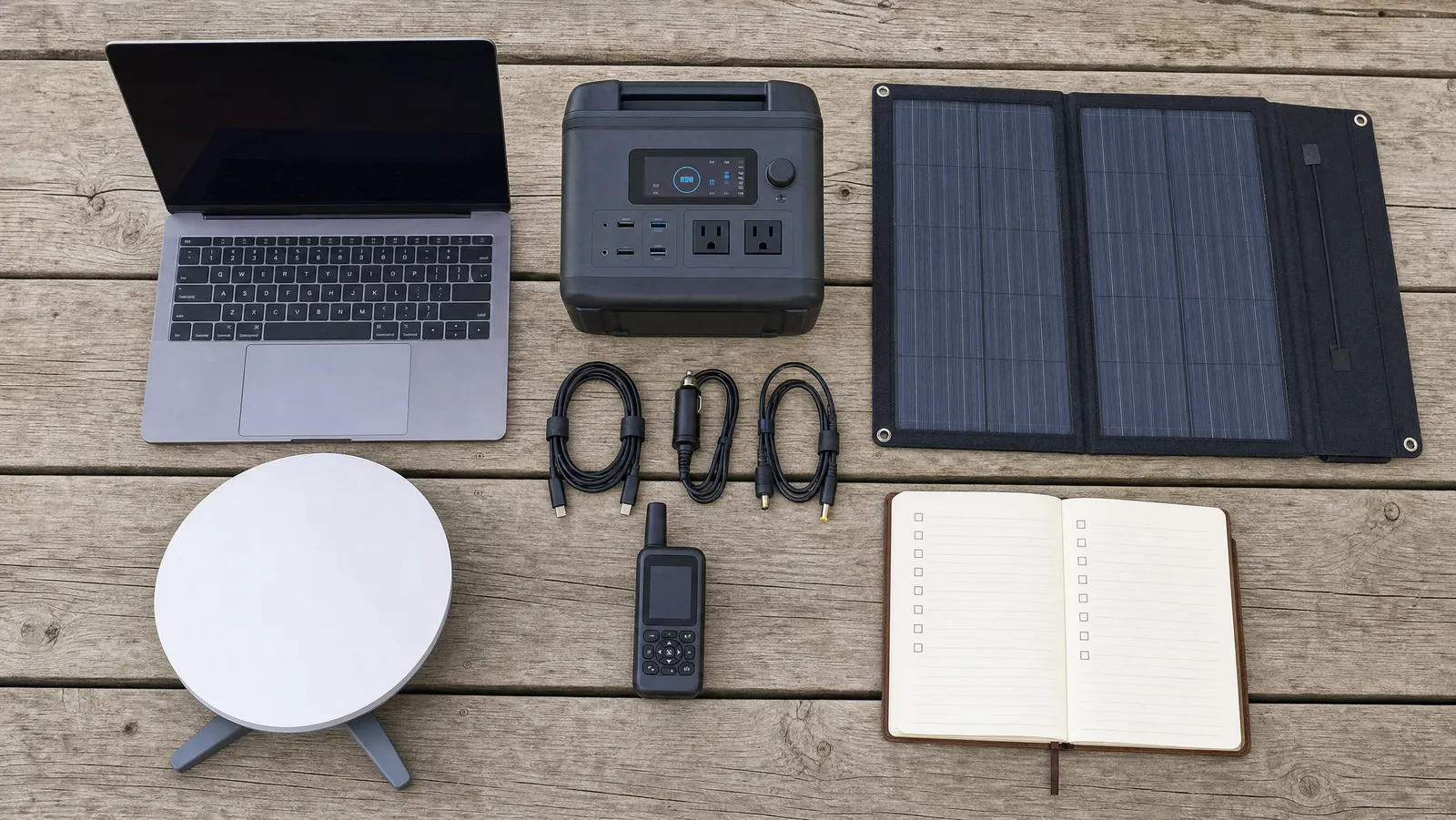

A workweek off-grid comes down to four things: enough stored watt-hours to run your gear for a full day, enough data to survive your calls, a site with genuine open sky and a checked coverage map, and a written fallback for the day one of those fails. Everything else is packing.
This is the operational half of our series on off-grid internet for remote work — not what to buy, but what to do with it in the two weeks before you drive out of coverage. We have run this off grid remote work checklist from trailheads, gravel pullouts, and one memorably bad campsite with a spectacular view and no usable sky at all.
It runs on a timeline rather than a category list, because that is how the failures actually arrive. Nobody forgets the power station. People forget the one DC cable that connects it to the dish — and they forget it on departure morning, forty minutes from home, when there is still time to turn around.
Two Weeks Out: Build the Energy Budget
Start with arithmetic, not shopping. The single most common off-grid work failure is a battery that dies at 3 p.m. on day two, and it is entirely preventable with ten minutes and a table. List every device, its draw in watts, and the hours you will actually run it. Multiply. Add a margin.
Here is a real budget for one person doing an eight-hour day on satellite internet:
| Device | Watts | Hours/day | Wh/day |
|---|---|---|---|
| Satellite dish (steady state) | 17 | 8 | 136 |
| Laptop, plugged in and working | 35 | 8 | 280 |
| Phone and tablet top-ups | 10 | 3 | 30 |
| Headphones, mouse, headlamp | 5 | 2 | 10 |
| Camp lighting and fan | 8 | 4 | 32 |
| Subtotal | 488 | ||
| Plus 25 percent margin | 610 |
Two of those numbers deserve sourcing. The dish figure reflects a meaningful change: Starlink's own spec sheet lists the Mini at an average 20–40W, but independent field measurements taken after the late-January 2026 firmware update — including post-update testing published by SpaceLink-Systems and Woyum — put real-world steady-state draw at 16–20W, roughly 17W typical, with idle around 15W and a brief 60W spike at startup. Heavier sessions still push higher; SpaceLink-Systems' post-update figures put sustained video calls at 30–35W and heavy downloads or HD streaming at 38–42W. We budget 17W for a mixed workday and treat anything above that as covered by the margin.
The laptop figure is deliberately conservative. According to Anker's power-consumption guide, ultraportables like the MacBook Air, XPS 13 and ThinkPad draw 5–20W in normal use and stay under 40–50W on demanding tasks, while a MacBook Pro 14 (M3 Pro) runs 24–30W on a typical workload and peaks near 45W; UGREEN's data table puts average everyday laptop use at 20–50W. We budget 35W for a machine that is charging as well as running all day; a video-editing rig needs its own measurement, not our estimate.
The 25 percent margin is not optional. It covers cold mornings, a cloudy afternoon, an aging battery, and the energy inverters and cables lose as heat. Notice what it does to the shopping question: 610Wh at roughly 85 percent usable capacity means a station with about 720Wh on the nameplate, not 500Wh. Our roundup of the best portable power stations for remote work covers which capacities actually deliver that.
One sanity check on scale: at 17W, a 256Wh station at 85 percent usable efficiency yields nearly 13 hours of dish time — generous, until you notice the dish is only 136 of the day's 488 watt-hours. The laptop is the bigger drain. Budget the whole desk, not the interesting part of it.
Two Weeks Out: Build the Data Budget
Calls are the entire story. Everything else you do online in a workday is rounding error next to video, and video is priced per hour in gigabytes.
Zoom publishes its own bandwidth floor for group video calling: 1.0 Mbps up and 600 kbps down for high-quality video, rising to 2.6 Mbps up / 1.8 Mbps down at 720p and 3.8 Mbps up / 3.0 Mbps down at 1080p. Microsoft's Teams network-preparation documentation states that Teams delivers HD video in under 1.5 Mbps, scaling to 1080p when bandwidth allows. Google's Meet hardware documentation sets the outbound requirement for an HD Meet participant at 3.2 Mbps, falling to about 1 Mbps for standard definition. All of those are achievable on a decent satellite or fringe-cellular link. Volume is the constraint, not speed.
For volume, per SatelliteInternet.com's breakdown of Zoom data usage, a group video call consumes roughly 810MB per hour at 480p, 1.35GB at 720p, and 2.475GB at 1080p; one-on-one calls run 540MB to 1.62GB per hour; audio-only drops to 27–36MB per hour and screen sharing to 22–67MB per hour. That gives a workable daily budget:
| Activity | Rate | Hours/day | GB/day |
|---|---|---|---|
| Group video call, 720p | 1.35 GB/hr | 2.0 | 2.70 |
| One-on-one call, HD | 1.62 GB/hr | 1.0 | 1.62 |
| Screen sharing | 0.067 GB/hr | 1.0 | 0.07 |
| Audio-only standup | 0.036 GB/hr | 0.5 | 0.02 |
| Subtotal | 4.41 | ||
| Plus 25 percent margin | 5.51 |
Five days of that is roughly 28GB — about a quarter of a 100GB monthly allowance spent on one week of meetings, before a single browser tab. Match that against what you are actually paying for; our guide to Starlink Roam plans explained covers the current tiers and which one a working nomad realistically needs.
Two levers worth knowing. First, camera off is not a small saving — Zoom's published figures imply audio-only costs roughly 15 to 90 times less data than video, depending on resolution. Declare a camera-optional week and the budget stops mattering. Second, background sync is the unbounded item on this list. We have watched a photo library decide, unprompted, to back up months of RAW files over satellite and eat more allowance in an hour than the week's calls did. Pause cloud clients now, not after.
Two Weeks Out: Scout the Sky, the Signal, and the Team
Sky is a location property, not a gear property. A dish under dense canopy performs like no dish at all. Starlink's support documentation is unambiguous that the terminal needs a clear view of the sky to hold satellites as they pass, and the app's Check for Obstructions tool exists so you can sweep a candidate spot with your phone and get an estimate of how many interruptions that position will cause. Practise in the yard, so you know what a passing score looks like before it matters.
Then do the desk work:
- Check two coverage maps, not one. Your carrier's and a second network's. Cellular is cheaper and lighter than satellite everywhere it exists.
- Change your plan now, not on the road. Tier changes and pauses can take a billing cycle to land.
- Read the terrain, not the photos. Campsite listings sell views. A south-facing site tucked under a cliff has a beautiful view and half a sky.
- Tell your team the shape of the week. Not "I might be spotty" — specifics. Which hours you are reliably online, which day is the risky one, and how to reach you if the internet is gone entirely.
That last point has a hardware answer. If you will be genuinely remote, carry a text-only floor so no outage ever makes you unreachable; our guide to satellite messengers for off-grid safety covers the devices and subscriptions. A client who gets "signal died, deliverable lands 9 a.m. tomorrow" is a client who is still a client.
The Week Before: Run the Dress Rehearsal
Work one full day from your driveway on battery and satellite only. Not a test. A real workday, real meetings, unplugged from the house at 8 a.m. This is the single highest-value item on this off grid work prep list, and almost nobody does it.
The rehearsal is where you find out that your power station reads 40 percent at lunch, that the dish reboots when you move the vehicle, or that the DC cable you need is still in a drawer. Finding that in your driveway costs an afternoon. Finding it 90 minutes down a forest road costs the week.
The rest of the week-before list:
- Update firmware and software while you have real bandwidth. Dish, router, laptop OS, and every app that would otherwise update itself over metered satellite.
- Download everything that can be downloaded. Offline maps for the whole route, the files and repos you will touch, documentation, evening entertainment. Assume the working connection is for calls, not for fetching.
- Audit cables against the actual devices. Lay them on the floor and connect each one: dish to power station, laptop to power station, panel to power station. Every cable with no partner goes back in the drawer; every device with no cable is a trip-ender.
- Log the rehearsal's numbers. Battery percentage at noon and 5 p.m., data consumed, draw measured. That log is next trip's budget.
Departure Day: Pack-Out and Charge State
Departure morning is not a planning slot. It is a verification slot, and it is short.
- Everything at 100 percent. Power station, laptop, phone, headphones, headlamp, messenger. A power station that leaves at 80 percent has already spent your margin.
- Pack the dish and panel where you can reach them without unloading the vehicle. You will use both within an hour of arriving.
- Do one "did we forget" pass against the cable audit. Same list, physical items, out loud.
- Confirm the plan tier actually changed. Log into the account and look; do not trust the email.
- Send the last high-bandwidth things before you leave coverage. Large files, the invoice, the calendar update.
On Site, First Hour: Prove the Spot Before You Commit
Do not unpack until the connection is proven. The order matters, because each step can send you 200 metres down the road to a better spot — cheap before you have levelled the van, expensive after.
- Run the obstruction check first, from the exact spot the dish will live. Not from the picnic table. Trees that look thin at noon are a wall at a satellite's angle.
- Position for sky, then for comfort. Every off-grid worker eventually learns to trade a slightly worse view for a slightly better horizon.
- Set the panel angle deliberately. Laying a panel flat costs real harvest: Go Green Solar's analysis puts the annual penalty for horizontal mounting versus optimal tilt at roughly 10 percent in southern US states and 15 percent in northern ones, and VoltCalcs' latitude tables put it at 15–18 percent at 40°N and 20–25 percent at 50°N. Tilt it toward the sun and note where the shade will be at 2 p.m.
- Run a speed test and a real call before you commit. Ring a colleague, or join any meeting room and watch yourself for two minutes. A speed test measures throughput; only a call measures whether the link holds.
- Test the fallback while the primary still works. Turn the dish off. Does the phone find a signal? Does the hotspot connect? Confirming a backup at the moment you need it is how backups turn out to be broken. Our internet backup plan guide covers writing the layered version down.
The Daily Rhythm of Working Remotely Off Grid
By day two this should be muscle memory, and it should take under five minutes a day.
Morning: read the battery before you read email. State of charge at 8 a.m. tells you what kind of day you can have. Above your daily budget, work normally. Below it, cameras off and defer the heavy tasks. Making that call at 8 a.m. is planning; making it at 3 p.m. is a crisis.
Midday: reposition the panel two or three times. A full sunny workweek generally needs about 200W of panel repositioned two or three times a day to keep up with an eight-hour desk; in mixed weather, treat 200W as the minimum and keep a vehicle-charging fallback. Given the tilt penalties above, moving the panel at 9 a.m., noon and 3 p.m. is the cheapest energy you will ever buy. Our roundup of the best portable solar panels for remote work covers which folding panels actually deliver near their rating.
Evening: recharge the small things too. Headlamp, messenger, spare battery bank. Small devices are what you forget, and what you miss.
All week: hold the buffer. Never let the power station drop below 20 percent — that is emergency reserve for an unexpected call, not capacity you get to spend. And keep a day of schedule buffer on every deliverable, because the honest failure rate of working somewhere with no infrastructure is not zero.
One scheduling detail worth naming: check where the panel's shade falls before you accept a meeting. We have booked a client call for the exact hour a rock face put the panel in shadow, and spent it watching the battery graph instead of the client.
When It Goes Wrong: Your Rule for Remote Work Without WiFi
Decide the escalation rule before you leave, in writing. With a battery at 15 percent and a deadline at 4 p.m., nobody makes a good call about whether to stay or drive. So make it now, when it costs nothing:
- Primary connection fails: switch to the backup within 10 minutes rather than debugging. Debugging is an evening activity.
- Both connections fail: send the status message on the satellite messenger immediately. Silence is the only genuinely unprofessional outcome.
- Battery will not reach the end of the day: shed load in a fixed order — camera off, dish off between calls, laptop to low-power mode, then stop.
- Two of the three fail on the same day: drive to coverage. Set the trigger time in advance; ours is 2 p.m., which leaves daylight to relocate safely.
None of that is defeat. The skill in working off-grid is not surviving on 12 percent battery; it is noticing at 10 a.m. that you will be on 12 percent by 3 p.m., and telling someone.
The Copy-Paste Off-Grid Workweek Checklist
Two weeks out:
- Energy budget written, with a 25 percent margin
- Data budget written, with a 25 percent margin
- Connectivity plan or tier changed
- Two coverage maps checked
- Sky and terrain assessed for the target site
- Team told which hours are reliable
- Messenger subscription active
The week before:
- Full driveway workday on battery and satellite completed
- Rehearsal numbers logged
- All firmware and OS updates installed on real bandwidth
- Offline maps, files, docs and entertainment downloaded
- Cloud sync and auto-update paused on every device
- Cable and adapter audit done device by device
Departure day:
- Every battery at 100 percent
- Dish and panel packed for immediate access
- "Did we forget" pass against the cable list
- Plan tier verified in the account, not the inbox
- Large files sent
First hour on site:
- Obstruction check run from the dish position
- Panel tilted and aimed, shade path noted
- Speed test plus one real call completed
- Backup connection tested with the primary switched off
Daily:
- Morning battery reading taken before work
- Panel repositioned two or three times
- Everything recharged in the evening
- 20 percent reserve untouched
The Bottom Line
Working off-grid is not a gear problem that gets solved once. It is a small, repeatable operations problem: budget the watts, budget the gigabytes, prove the site before you trust it, and decide in advance what you will do when something breaks. Do those four things and a week beyond the last cell tower is unremarkable — which is exactly the goal.
The hardware behind each step — dishes, power stations, solar, hotspots and the backup layers underneath them — is covered end to end in our complete off-grid working guide. Save this page, run the driveway rehearsal once, and the second trip will take a fraction of the preparation the first one did.
About the Author